Weather App Guide – Check Today’s Temperature, Rain & Forecast Easily
Checking the weather before leaving home can help you decide whether to carry an umbrella, wear lighter clothes, postpone an outdoor activity or prepare for thunderstorms. With a reliable weather app, you can quickly check today’s temperature, rain probability, hourly conditions and forecasts for the coming days directly from your smartphone.
Modern weather apps provide much more than a simple temperature reading. Depending on the app, you may find rain radar, humidity, wind speed, UV index, air-quality information, severe-weather alerts and hourly forecasts.
For users in India, the official MAUSAM app from the India Meteorological Department (IMD) is particularly useful for government weather information and warnings. Other popular options such as AccuWeather, Weather & Radar, Windy and The Weather Channel provide additional visual maps, detailed forecasts and specialised tools.
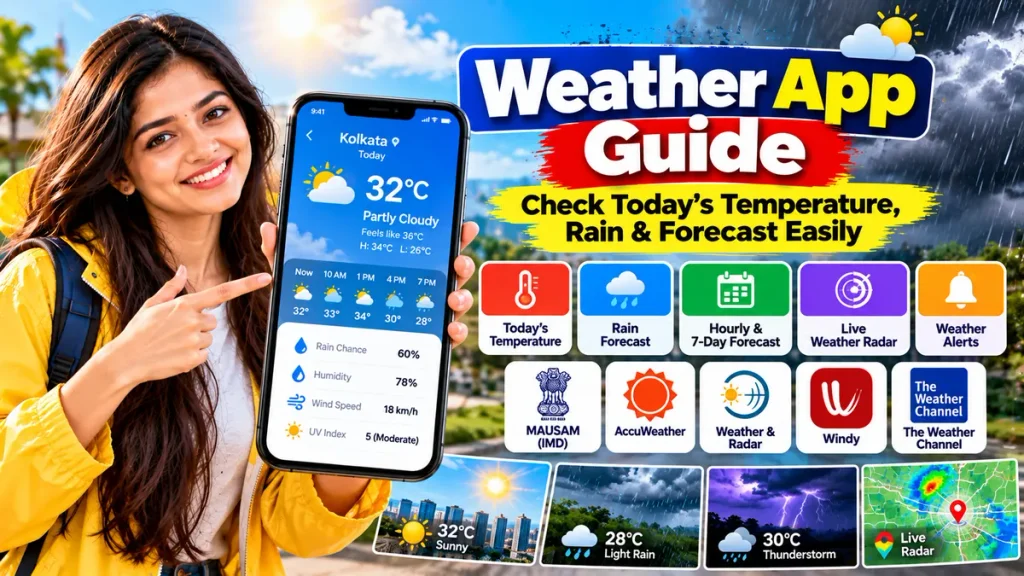
This guide explains how to use a weather forecast app, which apps are useful for different needs and how to understand rain probability, temperature and radar information correctly.
Best Weather Apps at a Glance
| Weather App | Best For | Key Features |
|---|---|---|
| MAUSAM by IMD | Official India weather information | Forecasts, observations, radar, warnings |
| AccuWeather | Detailed everyday forecast | MinuteCast, RealFeel, radar, hourly forecast |
| Weather & Radar | Easy rain and weather maps | Rain radar, temperature, wind, lightning |
| Windy | Advanced weather maps | Weather models, radar, satellite, wind maps |
| The Weather Channel | General daily weather | Current conditions, forecasts, radar, alerts |
1. MAUSAM – Best Official Weather App for India
For users who want official Indian weather information, MAUSAM is one of the most important apps to keep on their phone.
MAUSAM is the official mobile application of the India Meteorological Department under the Ministry of Earth Sciences.
The app provides access to:
- Observed weather conditions
- Weather forecasts
- Radar images
- Weather warnings
- Location-based weather information
The current Google Play listing describes MAUSAM as the IMD’s official weather application and states that users can access forecasts, radar imagery and proactive warnings about upcoming weather events. The app was updated in August 2026 with interface and performance improvements.
IMD’s broader weather system also publishes district-level rainfall forecasts, cyclone tracking, CAP alerts, flash-flood bulletins and other official information.
Best for: Indian users who want official forecasts and severe-weather information.
2. AccuWeather – Good for Detailed Daily Forecasts
AccuWeather is useful when you want a detailed forecast along with easy-to-understand information about how the weather may feel during the day.
One of its most recognised features is MinuteCast, which provides short-term precipitation forecasts.
AccuWeather says its updated app can provide MinuteCast information about precipitation type, intensity and expected start or end times for up to four hours in supported locations.
Another useful feature is RealFeel Temperature, which is designed to show how hot or cold conditions may actually feel after considering multiple weather factors.
The app also provides:
- Current temperature
- Hourly forecasts
- Daily forecasts
- Humidity
- UV index
- Weather radar
- Longer-term outlooks
AccuWeather’s current FAQ states that its daily section offers a 15-day forecast, while an additional longer outlook is also available.
Best for: Everyday planning, short-term rain timing and detailed temperature information.
3. Weather & Radar – Best for Easy Rain Radar
If your main question is “Will it rain soon?”, Weather & Radar is a useful option.
Its app combines regular forecasts with interactive maps for:
- Rain
- Snow
- Thunderstorms
- Lightning
- Wind
- Temperature
Weather & Radar describes its app as offering hourly, daily and longer-term forecasts along with weather alerts for dangerous conditions.
The WeatherRadar feature allows users to view current conditions and forecast weather directly on the map. Special map layers include RainRadar, WindRadar, TemperatureRadar and LightningRadar.
The platform also offers a 14-day forecast that can include information such as humidity, feels-like temperature, rainfall probability, UV index and sunrise or sunset times.
This can be helpful when planning travel, outdoor work, sports or family outings.
Best for: Users who prefer easy visual maps and rain tracking.
4. Windy – Best for Advanced Weather Maps
Windy is particularly useful for people who want more detailed weather maps.
Instead of showing only a simple temperature card, Windy allows users to explore different forecast layers and weather models.
Depending on the selected view, users can examine conditions related to:
- Wind
- Rain
- Temperature
- Clouds
- Thunderstorms
- Radar
- Satellite imagery
- Air pressure
Windy also provides radar nowcasting designed to show where precipitation may move during the next hour.
For users interested in longer forecasts, Windy Premium currently provides features including a 15-day outlook, one-hour forecast steps, more frequent model updates and extended radar and satellite loops.
Because it provides a large amount of technical information, Windy can initially look more complicated than a standard weather app. However, it is especially useful for travellers, photographers, outdoor enthusiasts and people who want to compare weather patterns visually.
Best for: Advanced radar, wind maps and detailed weather analysis.
5. The Weather Channel – Good All-Round Weather App
The Weather Channel is another well-known option for daily weather checking.
It provides current weather, forecasts, radar maps and alerts.
Its radar tools include layers for precipitation, clouds, temperature, feels-like conditions, UV index, wind and lightning.
The service also provides Premium features such as extended hourly forecasts and longer-range future radar. Current Premium options include up to 72-hour future radar and detailed hourly information extending several days ahead.
For most users, however, basic temperature, forecast and radar features may be enough for everyday planning.
Best for: General weather checking, radar and daily alerts.
How to Check Today’s Temperature
Checking temperature is normally the first thing people do after opening a weather app.
Allow location access if you want the app to automatically show weather for your current area, or manually search for your city.
You may see two different values:
Actual Temperature: The measured or forecast air temperature.
Feels Like Temperature: An estimate of how the temperature may feel because of factors such as humidity, wind and sunshine.
For example, an actual temperature of 34°C may feel considerably hotter when humidity is high.
Do not rely only on the maximum temperature. Check the hourly forecast if you want to know whether the morning, afternoon or evening will be more comfortable.
How to Check Whether It Will Rain
Most apps show precipitation probability as a percentage.
For example:
Rain Chance: 70%
This means there is a significant probability of measurable precipitation for the location and forecast period represented by the app. It does not necessarily mean that rain will fall for 70% of the day.
For better planning, check three things together:
- Rain probability.
- Hourly forecast.
- Rain or weather radar.
Radar is particularly useful when rainfall is already developing nearby because it shows the location and movement of precipitation.
How to Use Weather Radar
A weather radar map usually uses different colours to indicate precipitation location and intensity.
Open the radar section and press the animation or play button.
You can then observe whether the rain area appears to be moving toward or away from your location.
AccuWeather, for example, provides animated radar views, while Weather & Radar offers specialised rain, wind, temperature and lightning maps.
Remember that radar coverage and accuracy can vary by location. Radar should be combined with official alerts during potentially dangerous weather.
Hourly Forecast vs Daily Forecast
Both forecasts are useful, but for different purposes.
Hourly Forecast
Use this when deciding:
- When to leave home
- Whether to carry an umbrella
- When to exercise outdoors
- When rain may begin
- How temperature changes through the day
Daily Forecast
Use this when planning:
- Trips
- Weddings
- Outdoor events
- Weekend activities
- Work schedules
Long-range forecasts are useful for planning, but uncertainty generally increases the farther into the future you look.
Check Severe Weather Alerts
Weather apps are particularly important during thunderstorms, heavy rainfall, cyclones, heat waves and other hazardous conditions.
For users in India, check official IMD alerts when severe weather is possible.
MAUSAM provides forecasts and proactive warnings, while the IMD website provides CAP alerts, cyclone information and other official warning products.
Third-party apps can provide useful additional visualisations, but official government warnings should be taken seriously for safety decisions.
Other Useful Weather Information
Modern weather apps can also show:
Humidity: Indicates the amount of moisture in the air.
Wind Speed: Important for travel, outdoor work and some sports.
UV Index: Helps indicate ultraviolet radiation levels.
Sunrise and Sunset: Useful for travel, photography and outdoor activities.
Air Quality: Available through some weather apps and useful in areas with high pollution.
Lightning: Radar-focused apps may show recent or nearby lightning activity.
Choose an app based on the information you actually use rather than the one with the most complicated interface.
How Accurate Are Weather Apps?
No weather forecast can guarantee exactly what will happen at every street or minute.
Forecasts are created using weather observations, satellites, radar, computer models and other data.
Conditions can change quickly, especially during local thunderstorms.
For the best results:
- Check the latest update time.
- Use hourly forecasts for short-term planning.
- Check radar when rain is nearby.
- Compare official warnings during severe weather.
- Refresh the forecast before travelling.
A forecast from several days ago may no longer be the best information available.
Frequently Asked Questions
1. Which is the best weather app in India?
For official Indian forecasts and warnings, MAUSAM by IMD is an important option. AccuWeather, Weather & Radar, Windy and The Weather Channel offer additional forecast and radar features.
2. Which app can show today’s temperature?
Most weather apps, including MAUSAM, AccuWeather and Weather & Radar, display current or forecast temperature for selected locations.
3. Which app is good for checking rain?
Weather & Radar, AccuWeather and Windy provide useful rain or precipitation maps. IMD also provides official radar and rainfall information for India.
4. Can a weather app tell exactly when rain will start?
Some services provide short-term precipitation forecasts, but no prediction is guaranteed. AccuWeather’s MinuteCast is specifically designed to estimate short-term precipitation timing.
5. What does 60% chance of rain mean?
It indicates a probability of measurable rain for the specified location and forecast period. It does not necessarily mean it will rain for 60% of the day.
6. Is Windy good for beginners?
It can be used by beginners, but it provides more technical maps and weather-model information than many simple weather apps.
7. Which is the official weather app of IMD?
MAUSAM is the official weather application of the India Meteorological Department.
8. Should I trust a 10- or 15-day forecast completely?
Long-range forecasts are useful for general planning, but weather uncertainty increases with time. Recheck the forecast as your planned date gets closer.
Conclusion
A good weather app can make everyday planning easier by giving quick access to today’s temperature, rain probability, hourly conditions and future forecasts.
For Indian users, MAUSAM by IMD is especially useful for official forecasts, radar and weather warnings. AccuWeather provides detailed short-term precipitation and temperature information, while Weather & Radar offers easy visual rain maps. Windy is better suited to users who want advanced maps and forecast models, and The Weather Channel provides a broad combination of forecasts, radar and alerts.
For everyday use, check the temperature, feels-like temperature, rain probability and hourly forecast before leaving home. When rain or storms are nearby, open the radar map for additional context.
Most importantly, during severe weather such as cyclones, thunderstorms or extreme rainfall, rely on the latest official IMD warnings and local authority advice rather than treating any single app forecast as a guarantee.