UMANG App Guide – Access Government Schemes, Documents & Online Services Easily
Accessing government services traditionally meant visiting different offices, searching multiple websites, filling out separate forms and keeping track of several portals. The UMANG App makes many of these tasks easier by bringing a wide range of Central Government, State Government and local-body services together on one digital platform.
UMANG stands for Unified Mobile Application for New-age Governance. It is a Digital India initiative developed and managed by the National e-Governance Division (NeGD) under the Ministry of Electronics and Information Technology (MeitY).
Through UMANG, citizens can explore government schemes, use online public services, access DigiLocker-linked documents, check applications and transactions, pay certain utility bills, and use services related to pensions, employment, education, transport and more.
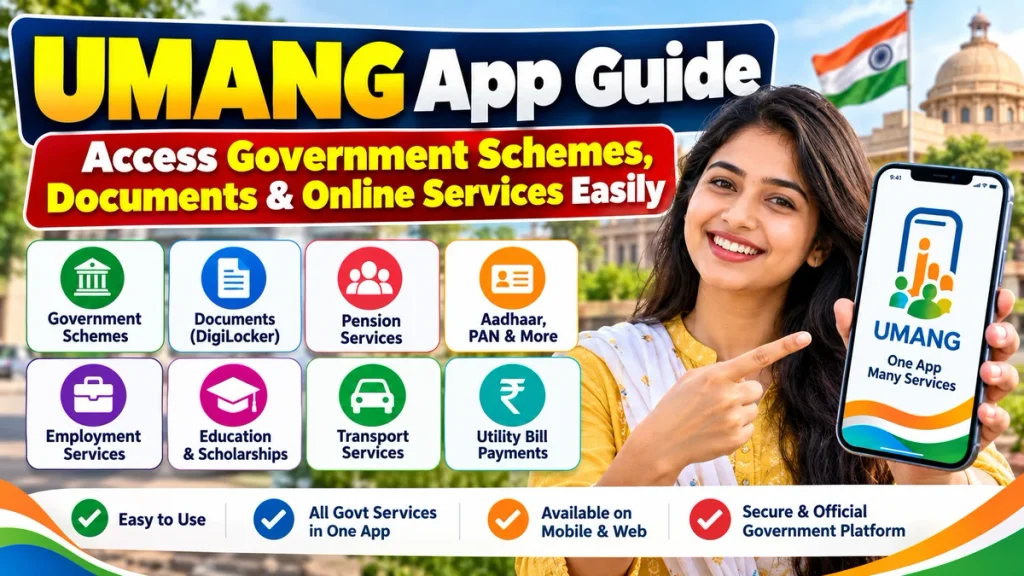
As of July 31, 2026, approximately 2,575 government services were available through UMANG, including 880 Central Government and 1,695 State Government services. The platform had more than 11.66 crore registered users.
If you want to understand how UMANG works, what services are available and how to use it safely, this complete guide will help.
What Is the UMANG App?
UMANG is designed as a single digital gateway for government services. Instead of downloading a separate app for every department, users can search for participating services through one application or the UMANG web portal.
UMANG was launched in 2017 and has gradually expanded by integrating services provided by Central ministries, State Governments, local authorities and other public bodies.
Users can access UMANG through its Android and iOS mobile applications as well as through the official website. The platform is intended to allow citizens to use many government services anytime and from anywhere.
UMANG App at a Glance
| Feature | Details |
|---|---|
| Full Name | Unified Mobile Application for New-age Governance |
| Initiative | Digital India |
| Managed By | National e-Governance Division, MeitY |
| Access | Android, iOS and Web |
| Services | Central, State and other government services |
| Government Services Available | Around 2,575 as of July 31, 2026 |
| Document Access | DigiLocker integration |
| Login | Mobile OTP, MPIN and supported DigiLocker login |
| Main Categories | Schemes, pension, education, employment, utilities, documents and more |
| Support | Help, customer support, chatbot and other assistance options |
| Official Helpline Listed by UMANG | 10505 |
What Can You Do on UMANG?
The biggest advantage of UMANG is that it combines different types of digital government services within one platform.
Depending on the department, state and service availability, users may be able to perform activities such as:
- Search for Central and State Government schemes
- Access DigiLocker-linked documents
- Check EPFO-related information and services
- Access pension-related services
- Use PAN and certain Aadhaar-related services
- Access driving licence and transport services
- Pay supported utility bills
- View examination-related services and results
- Explore scholarship services
- Access employment-related services
- Check application or transaction status
- Use selected LPG-related services
- Access public welfare and social-security services
Government information published in 2026 lists services including EPFO balance and claims, PAN and Aadhaar-related services, DigiLocker, utility payments, pensions, scholarships, passport-related services, driving licence services and exam results among examples available through UMANG.
The exact services available to an individual can change as departments add, update or temporarily modify their integrations.
Government Schemes on UMANG
One useful feature of UMANG is the ability to discover government schemes from a single platform.
Users can explore schemes based on factors such as their state and personal eligibility profile. The scheme-discovery system can ask questions relating to categories such as state, gender, social category, BPL status, disability and senior-citizen status to help identify potentially relevant schemes.
This can make it easier to discover schemes without manually visiting dozens of department websites.
However, finding a scheme on UMANG does not automatically mean you qualify for it. Each government scheme has separate eligibility rules, documentation requirements and application procedures.
Always read the complete scheme conditions before applying.
Access Documents Through DigiLocker
UMANG is integrated with DigiLocker, allowing users to access supported digital documents through the platform.
The official UMANG website highlights document access for items such as:
- Aadhaar-related documents
- Driving Licence
- PAN
- Vehicle Registration Certificate
- Other documents available through DigiLocker
DigiLocker documents are digitally issued or made available by participating issuers. This can reduce the need to carry physical copies of frequently required documents.
The availability of a particular document depends on whether the relevant issuing authority supports it through DigiLocker.
How to Download the UMANG App
The UMANG mobile app is available for both Android and iOS devices.
For Android, search for the official UMANG app on the Google Play Store. iPhone users can find it through Apple’s App Store.
Before installing, check the app name and publisher carefully so that you do not accidentally install an unofficial application.
You can also access UMANG through its official web platform if you prefer using a computer.
How to Register on UMANG
Creating an account is relatively simple.
Step 1: Open UMANG
Open the official UMANG app or web portal.
Step 2: Select Login/Register
Choose the registration or login option.
Step 3: Enter Mobile Number
Provide your mobile number and request an OTP.
Step 4: Verify OTP
Enter the OTP received on your mobile number.
Step 5: Create MPIN
After verification, you may be asked to provide the required details and create an MPIN for future login.
Official guidance states that users can subsequently log in using an MPIN, OTP or supported DigiLocker account credentials.
Never share your OTP or MPIN with another person.
How to Find a Government Service on UMANG
Once you are logged in, the easiest way to find a service is through the search option.
For example, if you need a pension-related service, search using terms such as:
Pension
Similarly, you can search using department or service keywords such as:
EPFO
DigiLocker
Driving Licence
Scholarship
Electricity Bill
PAN
If you do not know the exact service name, browse the available categories or State Government section.
Official UMANG guidance confirms that users can search directly or browse categories from the dashboard to locate relevant services.
How to Use a Service on UMANG
The exact process depends on the government department.
In general:
- Log in to UMANG.
- Search for the required department or service.
- Open the official service page.
- Read the eligibility or instructions.
- Enter the requested information.
- Complete authentication if required.
- Upload or retrieve documents where applicable.
- Submit the request or payment.
- Save the acknowledgement or transaction information.
Some services only provide information, while others allow users to submit applications, download documents, make payments or track requests.
Can You Pay Bills Through UMANG?
UMANG includes selected transaction and utility-related services.
Depending on available integrations, users may find options relating to bills, applications and other transactions. The official UMANG platform specifically highlights bills, applications and transaction status among its supported functions.
Always review the amount and service provider information carefully before confirming a payment.
After completing a transaction, save the receipt or acknowledgement whenever available.
Benefits of Using the UMANG App
One major advantage is convenience.
Instead of remembering multiple government portal addresses, citizens can begin their search from a single platform.
UMANG can also reduce unnecessary travel to government offices for services that are available digitally.
Other advantages include access to both Central and State services, integration with DigiLocker, online transaction tracking and availability through mobile and web platforms.
The government describes UMANG as a single unified interface intended to make public services available from home while saving users time and travel costs.
Is UMANG Safe to Use?
UMANG is an official Digital India platform managed by NeGD under MeitY.
However, users should still follow basic digital-security practices.
Download the application only through official sources, never reveal your OTP or MPIN, avoid logging in from unknown devices, check service details before making payments and never respond to unofficial messages promising guaranteed government benefits.
Government schemes generally have specific eligibility and verification processes. An unknown caller or social-media account cannot guarantee approval simply by collecting a fee.
What to Do If a Service Is Not Available
UMANG integrates services from many independent government departments. As a result, a service may occasionally be unavailable because of maintenance, department-side changes or technical issues.
If you cannot find a service:
Check the spelling of the department name, search using related keywords, look under your State section and verify whether the service is currently available.
You can also use UMANG’s help and customer-support options.
The official UMANG portal currently lists the support number 10505 and states that assistance is available on all days of the week from 10 AM to 6 PM.
Frequently Asked Questions
1. What is the UMANG App used for?
UMANG provides a single platform for accessing many Central and State Government services, schemes, documents, utility services and online transactions.
2. Is UMANG a government app?
Yes. UMANG is a Digital India initiative developed and managed by the National e-Governance Division under the Ministry of Electronics and Information Technology.
3. Can I access DigiLocker through UMANG?
Yes. UMANG integrates with DigiLocker and provides access to supported digital documents such as driving licences, PAN, vehicle RC and other available records.
4. Can I access EPFO services on UMANG?
Yes. EPFO-related services are among the government services accessible through UMANG, although specific features may change over time.
5. Can I find government schemes on UMANG?
Yes. UMANG provides access to government schemes and offers tools for discovering schemes based on user information and eligibility factors.
6. Is UMANG available on computers?
Yes. In addition to Android and iOS mobile apps, UMANG services can be accessed through its official web platform.
7. Do I need a mobile number to register?
The standard registration process uses a mobile number and OTP verification. Users can then create an MPIN for future login.
8. Are all government services available on UMANG?
No. UMANG includes thousands of government services, but not every government service or department function is necessarily available through the platform. Availability also changes as new services are added or updated.
9. Is there a fee for downloading UMANG?
The official UMANG application itself can be downloaded without a purchase fee. However, individual government services or transactions may have their own applicable charges.
Conclusion
The UMANG App can make accessing government services considerably easier by bringing numerous Central Government, State Government and public-service facilities onto one digital platform.
Whether you want to explore a government scheme, access DigiLocker documents, use pension or EPFO services, check a government application, find transport-related services or perform supported online transactions, UMANG provides a convenient starting point.
With approximately 2,575 services available as of July 31, 2026, the platform has developed into an important digital gateway for public services in India.
For the safest experience, download UMANG only from official sources, keep your mobile number and authentication details secure, and carefully read the eligibility and documentation requirements of each service before submitting an application.
Instead of searching different government portals one by one, users can start with UMANG to discover schemes, documents and online government services from one place.