Spotify App Guide – Listen to Hindi, English & Regional Songs Online
Music streaming has made it easier than ever to listen to your favourite songs without downloading individual audio files or maintaining a large offline music collection. Among the most popular music streaming platforms available in India, Spotify offers a huge variety of Hindi, English, Punjabi, Tamil, Telugu and other regional music along with podcasts, personalised playlists and music-discovery features.
Whether you enjoy the latest Bollywood releases, old Hindi classics, Punjabi hits, English pop, independent artists or regional movie songs, the Spotify app helps you search for music, create playlists and discover new tracks based on your listening habits.
Spotify is available in both free and paid versions. Premium users receive additional benefits such as ad-free music, offline downloads and higher audio quality.
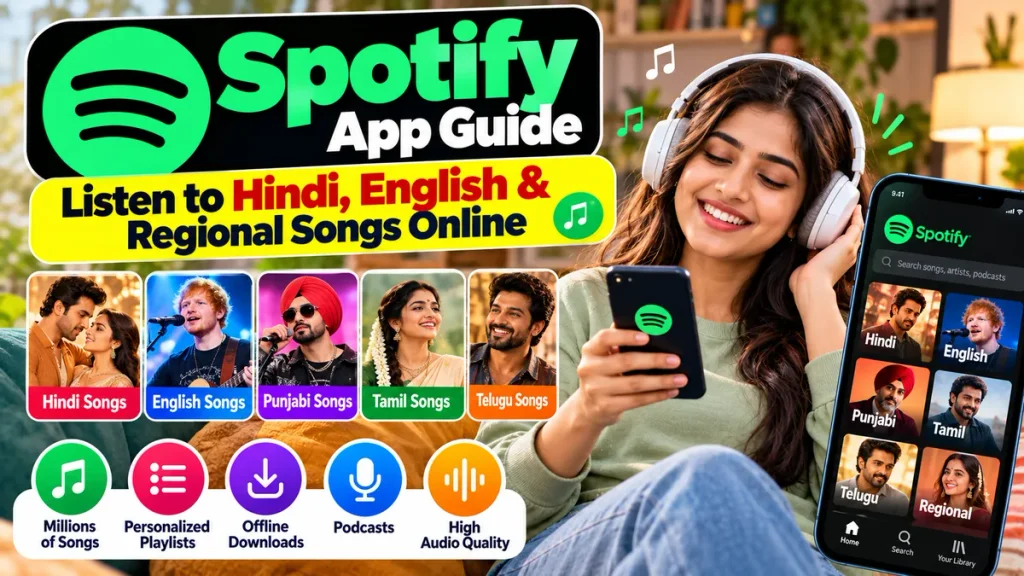
This complete Spotify App Guide explains how to listen to Hindi, English and regional songs online, use playlists, download music with Premium and choose the right Spotify plan.
What Is Spotify?
Spotify is a digital music and audio streaming platform where users can listen to songs, albums, artists, playlists and podcasts through an internet-connected device.
The service is available on smartphones, tablets, computers, web browsers, smart TVs, speakers and several other compatible devices.
Spotify launched in India in 2019 with features designed for Indian listeners, including music recommendations tailored to languages such as Hindi, Punjabi, Tamil and Telugu. It also introduced India-focused playlists covering Bollywood, Punjabi, independent and regional music.
Over time, Spotify learns from the music you play, save, share and skip to create personalised recommendations.
Spotify App Features at a Glance
| Feature | Details |
|---|---|
| Hindi Songs | Bollywood, independent, classics and new releases |
| English Music | Pop, rock, hip-hop, EDM, international hits and more |
| Regional Songs | Punjabi, Tamil, Telugu and other Indian-language music |
| Free Listening | Available with certain limitations and advertisements |
| Premium Listening | Ad-free music with additional playback features |
| Offline Music | Available with eligible Premium plans |
| Audio Quality | Up to around 320 kbps with Premium Standard |
| Lyrics | Available for many songs |
| Personalised Playlists | Mixes, daylist and other recommendations |
| Podcasts | Available alongside music |
| Smart TV Support | Available on many compatible televisions |
| Spotify Connect | Control playback across compatible devices |
Hindi Songs on Spotify
For Indian listeners, Hindi music is one of Spotify’s biggest attractions.
Users can search for new Bollywood tracks, romantic songs, party music, devotional songs, independent Hindi releases and older film music.
You can search directly for an artist, song, album or playlist. For example, if you enjoy Bollywood music, searching for an actor, singer or movie soundtrack can quickly display related music.
Spotify also creates and curates playlists around moods and genres, helping listeners find songs without searching individually.
Popular categories can include romantic music, Bollywood hits, workout music, party tracks, retro songs and relaxing playlists.
Spotify’s India launch specifically included playlists designed for local listeners, including Bollywood and Indian independent music collections.
Listen to English Songs Online
Spotify is also a strong option for people who regularly listen to English and international music.
You can find music across genres such as:
- Pop
- Rock
- Hip-hop
- Rap
- Electronic music
- Jazz
- Classical
- R&B
- Indie
- Country
Users can follow favourite singers and artists so that it becomes easier to discover their latest releases.
Spotify’s recommendation system can also introduce songs from artists you may not have searched for previously.
This makes the app useful for people who want to explore new international music rather than listening only to tracks they already know.
Regional Songs on Spotify
India has a highly diverse music audience, and Spotify includes a substantial selection of regional music.
Depending on catalogue availability, listeners can search for music in Indian languages and styles including Punjabi, Tamil, Telugu and many other regional categories.
Spotify was specifically designed in India to support language-based music recommendations, with Hindi, Punjabi, Tamil and Telugu among the languages highlighted when the service launched.
Users can search using:
Language name + songs
For example:
Punjabi Hits
Tamil Songs
Telugu Songs
You can also search for a specific regional singer, film or album.
Because streaming rights change over time, the availability of an individual song or album can occasionally vary.
How to Download and Use Spotify
Getting started with Spotify is simple.
Step 1: Download Spotify
Install the official Spotify app through your device’s app store, or access Spotify through its web player on a computer.
Step 2: Create an Account
Open the app and create an account or sign in if you already have one.
Step 3: Search for Music
Tap the search option and enter the name of a:
- Song
- Artist
- Album
- Playlist
- Podcast
- Genre
- Mood
Spotify also allows users to search using lyrics. If you do not remember a song’s title, entering at least a few words from its lyrics may help you locate it.
Step 4: Save Your Favourite Music
When you find music you like, save it to your library or add it to a playlist.
Step 5: Keep Listening
As you use Spotify more regularly, the platform can provide more personalised recommendations based on your listening behaviour.
Create Your Own Spotify Playlist
One of Spotify’s most useful features is playlist creation.
For example, you could create separate playlists for:
Hindi Romantic Songs
Punjabi Party Music
English Workout Songs
Old Bollywood Classics
Tamil Movie Songs
You can keep adding tracks whenever you discover something you enjoy.
Spotify also creates personalised playlists automatically based on listening behaviour. Spotify says recommendations are influenced by signals such as what you like, save, share and skip.
Features such as Spotify Mixes and daylist can help users discover music that matches their preferences or different times of the day.
Spotify Free vs Premium
Spotify can be used without purchasing Premium, making it easy for new users to try the service.
However, Premium provides additional benefits.
| Spotify Free | Spotify Premium |
|---|---|
| Free access to supported music | Paid subscription |
| Advertisements may appear | Ad-free music listening |
| Online streaming | Online + offline listening |
| Standard free-tier controls | Greater playback control |
| Basic listening experience | Higher-quality audio options |
| No offline music downloads | Download music for offline listening |
Spotify Premium Standard currently provides ad-free listening, offline downloads, full playback control and audio quality of up to approximately 320 kbps.
Spotify Premium Plans in India
Spotify currently provides several Premium options in India.
At the time of writing, Premium Standard is ₹139 per month, while the eligible Student plan is ₹69 per month after applicable introductory offers. Spotify also offers a Premium Platinum plan at ₹299 per month, supporting up to three Platinum accounts for people living at the same address.
Platinum includes additional features such as lossless audio, AI-powered playlist creation and a personal AI DJ.
Prices, offers and plan availability can change, so users should check Spotify’s official subscription page before paying.
Download Songs for Offline Listening
One major reason people choose Spotify Premium is offline listening.
Premium users can download supported albums, playlists and podcasts and listen when an internet connection is unavailable.
Spotify currently allows Premium users to save up to 10,000 tracks on each of up to five different devices. Users need to go online at least once every 30 days to maintain access to their downloaded content.
Offline music is particularly useful while travelling, during flights or in locations where mobile-network coverage is unreliable.
The downloaded music stays inside Spotify rather than becoming a normal MP3 file on your device.
Use Spotify Lyrics
If you like singing along with your favourite songs, Spotify provides synchronized lyrics for many tracks.
Lyrics are currently available to both Free and Premium users, although Spotify notes that lyrics may not be available for every song or on every device.
On a mobile device, start playing a song and scroll through the Now Playing screen to find the lyrics section.
This can be especially useful when listening to songs in a language you are learning or when you simply want to understand the words more clearly.
Listen on TV and Speakers
Spotify is not limited to smartphones.
The Spotify app is available on many compatible smart TVs. Users can also connect Spotify to supported speakers through technologies including Spotify Connect, Bluetooth, Chromecast and AirPlay.
Spotify Connect is especially convenient because your phone can act as a remote control while the music plays directly through another compatible device.
How to Save Mobile Data on Spotify
Streaming music continuously can consume mobile data.
If you have limited data, open Spotify’s settings and enable Data Saver. Spotify states that Data Saver can reduce data usage by lowering audio quality and displaying fewer images.
Premium users can also download playlists over Wi-Fi and then listen offline.
Keep in mind that higher audio quality consumes more data, while lossless audio requires significantly more bandwidth.
Frequently Asked Questions
1. Is Spotify free in India?
Yes. Spotify has a free tier that allows users to listen to supported music and podcasts, although advertisements and other free-tier limitations may apply.
2. Can I listen to Hindi songs on Spotify?
Yes. Spotify offers a large selection of Bollywood music, Hindi albums, independent tracks, old songs and Hindi playlists.
3. Does Spotify have Punjabi, Tamil and Telugu songs?
Yes. Spotify supports Indian regional music and has specifically offered personalised recommendations for languages including Punjabi, Tamil and Telugu in India.
4. Can I download songs from Spotify?
Offline music downloads are available with eligible Premium plans. Free users can download podcasts but not regular music for offline playback.
5. Can I use Spotify without internet?
Premium users can listen to previously downloaded supported music offline. Internet access is required periodically to keep downloads active.
6. Does Spotify show song lyrics?
Yes. Lyrics are available for many songs for both Free and Premium users, although not every track necessarily has lyrics.
7. Can I play Spotify on my Smart TV?
Yes. Many smart TVs support Spotify directly, and users can also connect through compatible casting and playback technologies.
8. Is Spotify Premium worth buying?
Premium can be useful if you listen frequently and want ad-free music, offline downloads, greater playback control and higher-quality audio. Occasional listeners may find the free version sufficient.
Conclusion
The Spotify App is a convenient option for people who want to listen to Hindi, English and regional songs online from one platform.
From Bollywood and Punjabi hits to Tamil, Telugu and international music, Spotify provides an extensive music-discovery experience alongside personalised playlists, lyrics, podcasts and cross-device listening.
Users who only need basic online streaming can start with Spotify Free, while frequent listeners can consider Premium for ad-free listening, offline downloads, higher audio quality and additional playback controls.
Spotify’s personalised recommendations are also one of its strongest advantages. The more you listen, save and interact with music, the better the app can become at suggesting playlists and songs that match your taste.
Whether you prefer Bollywood classics, the latest Hindi hits, English pop or regional movie music, Spotify makes it easy to search, organise and enjoy your favourite audio from a phone, computer, TV or compatible speaker.