Smartphone Call & Privacy Guide – Caller ID, Spam Protection, Reverse Lookup & Mobile Security
Unknown calls, spam messages, fake customer-care numbers, phishing links, and unnecessary app permissions have become common smartphone problems. A modern phone therefore needs more than a simple contact list. Features such as Caller ID, caller name announcement, reverse phone lookup, spam detection, app permissions, and mobile security tools can help you decide which calls to answer and how much access apps should have to your personal information.
This guide explains the most important call protection and privacy features you can use to make your smartphone safer.
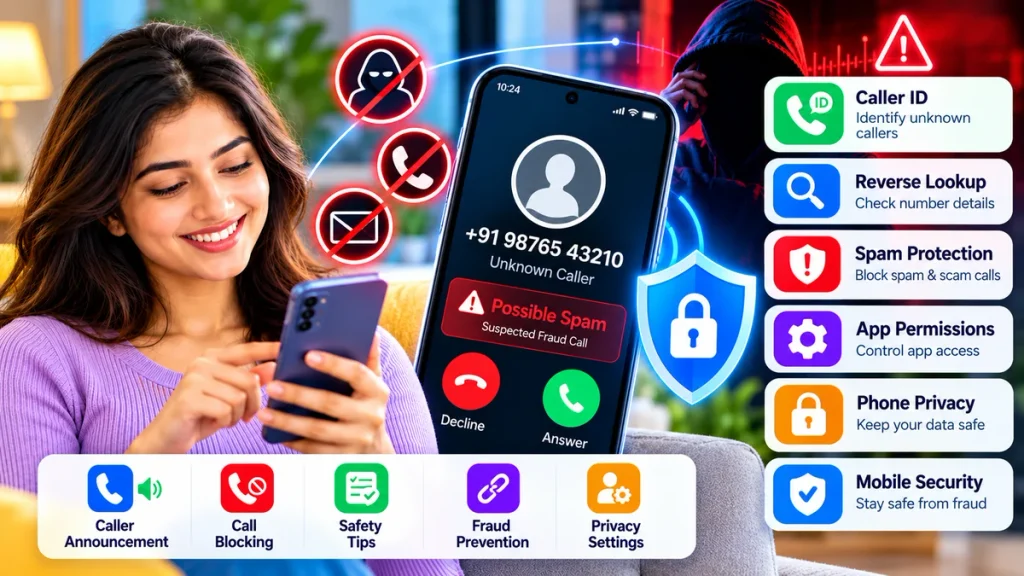
Smartphone Safety Features at a Glance
| Feature | Main Purpose | Useful For |
|---|---|---|
| Caller ID | Identifies incoming callers | Unknown numbers |
| Caller Announcement | Speaks caller name or number | Hands-free calling |
| Reverse Lookup | Checks an unfamiliar number | Missed and suspicious calls |
| Spam Detection | Warns about suspected spam | Telemarketing and scams |
| Call Blocking | Stops unwanted callers | Repeated spam |
| App Permissions | Controls data access | Privacy protection |
| Mobile Security | Detects malicious activity | Malware and phishing |
| Privacy Dashboard | Shows permission usage | Monitoring apps |
1. Use Caller ID to Identify Unknown Calls
Caller ID is one of the easiest ways to understand who may be calling before answering.
Phone by Google can provide information about callers or businesses outside your contacts and may display warnings when a call is suspected to be spam. Users can also enable spam filtering on supported devices.
Caller ID can be especially useful for identifying:
- Businesses
- Delivery services
- Telemarketers
- Customer-care calls
- Frequently reported spam numbers
However, caller ID information should not be treated as guaranteed proof of identity.
2. Turn On Caller ID Announcement
Caller ID announcement can make incoming calls easier to manage when you are driving, working, exercising, or using headphones.
On supported devices using Phone by Google, you can choose to announce caller ID:
- Always
- Only when using a headset
- Never
The feature can speak the caller’s name or number aloud so you may not need to look at the screen immediately.
This makes caller announcement particularly useful for hands-free phone use.
3. Check Unknown Numbers With Reverse Lookup
Received a missed call from a number you do not recognize?
A reverse phone lookup service may provide additional information about the number.
Truecaller, for example, says its reverse lookup service may provide the caller’s name when available, general location, phone-line type, and spam or scam warnings based partly on community reports.
Reverse lookup can help when:
- The same number repeatedly calls.
- You receive an unexpected missed call.
- A caller claims to represent a company.
- You want to check whether others reported the number.
Always independently verify important financial or official calls.
4. Protect Your Phone From Spam Calls
Spam calls can include advertisements, robocalls, fake offers, impersonation attempts, and financial scams.
Caller ID services can warn users when numbers have been reported as suspicious. Truecaller also provides spam identification, user-managed block lists, and automatic blocking options depending on the service or plan.
If you frequently receive unwanted calls, consider enabling:
Caller ID → Spam Detection → Call Blocking
This combination gives you several layers of call protection rather than relying on just one feature.
5. Know the Warning Signs of a Fraud Call
Technology cannot identify every scam. Knowing common warning signs remains important.
Be cautious when a caller:
- Requests your OTP.
- Asks for your UPI PIN or ATM PIN.
- Wants card numbers or CVV information.
- Threatens to disconnect your SIM.
- Claims police action will happen immediately.
- Requests an urgent money transfer.
- Asks you to install a remote-access app.
- Says your bank account will be blocked.
- Promises an unexpected prize or refund.
India’s Department of Telecommunications has warned users about fraudulent callers impersonating authorities and threatening mobile disconnection.
If a call involves money or sensitive information, disconnect and verify the organization through an official channel.
6. Manage App Permissions for Better Privacy
Phone security is not only about incoming calls. Apps can also access sensitive information stored on your device.
Important permissions include:
- Location
- Microphone
- Camera
- Contacts
- SMS
- Phone
- Photos
- Notifications
Android’s Privacy Dashboard lets users see which apps have recently accessed permissions such as camera, microphone, and location and allows those permissions to be changed.
Review permissions regularly and remove access that an app no longer needs.
7. Check Privacy Before Installing Apps
Before installing a new application, check what information it wants to collect.
Google Play includes a Data safety section where developers describe how their apps collect, share, and handle user data.
Before installing an app, review:
- Developer name
- App permissions
- Data collection
- User reviews
- Subscription charges
- Privacy policy
- Recent updates
Avoid installing unknown APK files sent through random messages or suspicious websites.
8. Use Mobile Security Tools
Mobile security apps can provide another layer of protection against:
- Malware
- Phishing websites
- Suspicious links
- Scam messages
- Unsafe apps
- Identity threats
Some mobile security services also include VPNs, privacy monitoring, identity protection, or scam alerts.
The best option depends on your needs. A user primarily concerned about unknown calls may prefer strong caller ID and spam detection, while someone frequently using mobile banking may prioritize malware and phishing protection.
9. Remember That Caller ID Can Be Spoofed
Even if a phone number looks genuine, that does not always mean the caller is legitimate.
Scammers may use techniques that make a call appear to come from another number.
This is why you should never rely solely on the number displayed on your screen when a caller asks for sensitive information or money.
Contact the organization separately using the official number published on its website or app.
10. Report Suspicious Fraud Communications
Blocking a suspicious caller protects your phone, but reporting the number may also help protect others.
India’s Chakshu facility on Sanchar Saathi allows users to report suspected fraudulent communications received through calls, SMS, or WhatsApp.
If money has already been lost in a cyber fraud, victims should use the appropriate official cybercrime reporting channels rather than relying only on caller ID apps.
A Simple Smartphone Safety Routine
For everyday protection, follow this basic routine:
Identify → Verify → Limit Permissions → Block → Report
When an unknown call arrives, first check Caller ID. If you are unsure, use reverse lookup or independent verification. Avoid sharing private information, block repeated spam, and periodically review app permissions.
Frequently Asked Questions
Can my phone tell me who is calling?
Yes. Caller ID can identify some businesses and unknown numbers when information is available. Caller announcement can also speak the caller’s name or number on supported phones.
Can I check an unknown number before calling back?
Yes. Caller ID, reverse lookup services, online searches, and spam-report databases may provide useful information.
Can caller ID detect every scam?
No. Newly created, spoofed, or unreported numbers may not be detected.
Should I install a caller ID app?
It depends on your needs. Caller ID apps can provide additional identification and spam protection, but you should review their permissions and privacy policies first.
How often should I check app permissions?
Review permissions periodically, especially after installing new apps or when an app begins requesting access that does not seem necessary.
Conclusion
A safer smartphone experience comes from combining Caller ID, caller announcement, reverse lookup, spam detection, call blocking, app permission management, and mobile security tools.
No single feature can stop every scam or privacy threat. But using several protection layers together makes it easier to identify suspicious callers, reduce unwanted calls, control what apps can access, and protect personal and financial information.
Before answering an unfamiliar call or giving an app sensitive permissions, take a few seconds to check first. That small habit can make a major difference in your phone’s privacy and security.