RTO Vehicle Registration Check – Verify RC & Owner Details Online
Checking a vehicle’s registration details online can be useful when you are buying a used car or bike, verifying your own Registration Certificate, checking insurance or PUC information, or confirming whether the vehicle number entered in a document is correct.
The Government of India’s Parivahan/VAHAN platform provides online services that allow users to check basic vehicle-registration information using a vehicle registration number. The official Parivahan website specifically provides a “Know Your Vehicle Details” facility for finding basic details linked to a supplied vehicle number.
Depending on the available record and service, users may be able to verify information such as the registering authority, registration status, vehicle class, make and model, fuel type, insurance status, PUC status and other vehicle-related information.
However, complete personal information about a vehicle owner is not necessarily made publicly available. Privacy and data-access rules apply to personally identifiable information.
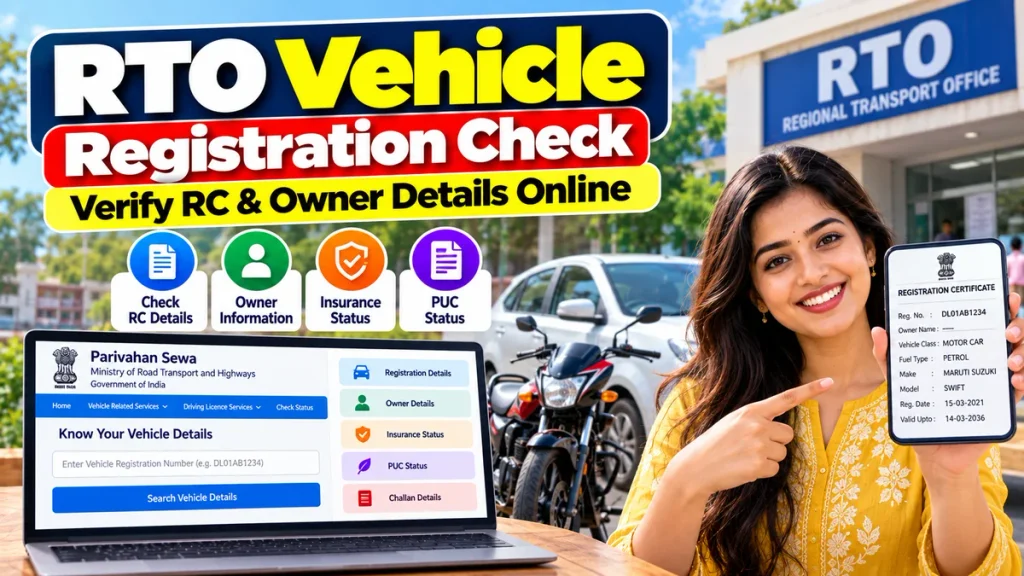
This guide explains how to check RTO vehicle registration, RC details and available owner-related information online through official Parivahan and VAHAN services.
RTO Vehicle Registration Check at a Glance
| Detail | Information |
|---|---|
| Main Portal | Parivahan / VAHAN |
| Main Service | Know Your Vehicle Details |
| Search Using | Vehicle Registration Number |
| Registration Information | Available |
| Vehicle Make & Model | Usually available in vehicle record |
| Vehicle Class | Available where recorded |
| Insurance Status | Can be checked through supported vehicle-status services |
| PUC Status | Available through supported services |
| Registration Status | Available |
| Owner Information | Limited/basic information subject to privacy rules |
| RC-Related Services | Available through VAHAN Citizen Services |
| Application Status | Can be tracked online |
What Is an RC?
RC stands for Registration Certificate.
Every motor vehicle that is legally registered with a registering authority is assigned a registration number and corresponding vehicle-registration record.
The RC contains important information related to the vehicle, such as:
- Vehicle registration number
- Registration date
- Registering authority
- Vehicle class
- Maker and model
- Fuel type
- Chassis and engine information
- Owner-related information
- Registration validity
- Other applicable vehicle details
The government’s VAHAN database maintains vehicle-registration information and supports various digital RTO services.
Under the Ministry of Road Transport and Highways’ data-sharing framework, VAHAN registration data can include registration details, owner details, vehicle specifications, insurance information, permit details, hypothecation details, NOC information and e-Challan-related data. Access to personal or sensitive data is restricted according to applicable policy.
Why Should You Check Vehicle Registration Details?
An online vehicle-registration check can be useful in many situations.
Before Buying a Used Vehicle
If you are planning to purchase a second-hand car or bike, checking the registration number can help you confirm whether the vehicle details shown in the RC match the vehicle being offered for sale.
You can compare the make, model, vehicle class and registration information before proceeding with the transaction.
To Check Your Own RC Details
Vehicle owners can use the service to verify that their vehicle details are correctly reflected in the digital system.
To Check Insurance or PUC Status
Parivahan’s vehicle-status system currently provides options to check information including insurance and PUCC status, along with pending challans and other supported details.
After Buying a Used Vehicle
After submitting a transfer-of-ownership request, checking the online status can help confirm whether the ownership-transfer application has progressed.
How to Check Vehicle Registration Details Online
You can check basic vehicle information through the official Parivahan platform.
Step 1: Visit the Official Parivahan Website
Open the official Parivahan Sewa website operated under the Ministry of Road Transport and Highways.
Look for the section called:
License & Registration Details
Then select:
Know Your Vehicle Details
The official service is designed to provide basic details against a supplied vehicle number.
Step 2: Enter Vehicle Registration Number
Enter the complete registration number of the vehicle.
For example:
WB01AB1234
or
DL01AB1234
Make sure the number is entered correctly. Even one wrong letter or digit can return an incorrect result or no record.
Step 3: Complete Verification
Depending on the service being used, you may need to:
- Enter a captcha
- Login or register
- Verify your mobile number
- Complete OTP authentication
The VAHAN Citizen Services system includes user registration and login facilities for accessing various vehicle-related services.
Step 4: View Vehicle Information
After successful verification, the available vehicle details will be displayed.
The exact information shown can vary depending on the vehicle record, state integration and privacy restrictions.
What Vehicle Details Can You Check?
The official VAHAN database stores several categories of vehicle-registration information.
These can include:
Registration Details: Registration number, registration date, registering authority and vehicle status.
Vehicle Details: Manufacturer, model, vehicle category, body type, fuel type and other technical information.
Owner-Related Details: Owner information exists within the VAHAN database, but public access to personally identifiable information is controlled.
Insurance Information: Available where updated and integrated.
Fitness and Permit: Particularly relevant for commercial vehicles.
Hypothecation: Information relating to vehicle financing may exist in the official record.
NOC Information: Details relating to a No Objection Certificate may also form part of the VAHAN dataset.
MoRTH’s data-access policy specifically states that personally identifiable and sensitive data requires appropriate approval for sharing.
Can You Check Vehicle Owner Name Online?
This is one of the most common questions about RTO vehicle searches.
The VAHAN database does contain vehicle-owner information. However, that does not mean complete personal owner information is openly available to every public user.
The Parivahan public service is described as providing basic vehicle details, while more extensive information may be available only to authorised organisations or through specific lawful services.
Therefore, users should not expect private details such as a complete residential address, mobile number or other sensitive owner information from a normal public vehicle-number search.
Always use official services and avoid websites that claim to reveal confidential owner information without proper authorisation.
Check Insurance Status by Vehicle Number
Vehicle insurance is an important part of vehicle verification, particularly when purchasing a used vehicle.
Parivahan’s public vehicle-status page currently provides an option to check Insurance status using the vehicle registration number.
If insurance details are available, review the validity information carefully.
However, online records may occasionally take time to update. If you are purchasing a vehicle, you should also ask the seller for the current insurance policy document and verify it directly with the insurer when necessary.
Check PUC Status Online
PUC stands for Pollution Under Control Certificate.
A valid PUC certificate is required for vehicles subject to pollution-control requirements.
The Parivahan vehicle-status service also provides a PUCC Status check using the vehicle registration number.
This can help you verify whether the vehicle has a currently recorded PUC certificate before completing a purchase or travelling.
Check Pending Challans
Pending traffic challans are another important factor when checking a used vehicle.
The current Parivahan vehicle-status interface includes Pending Challans among the information categories that can be checked for a registration number.
Before buying a second-hand vehicle, it is useful to ask the seller to clear applicable pending challans and resolve other outstanding vehicle-related issues.
How to Check RC Application Status
If you have applied for an RC-related service such as ownership transfer, duplicate RC or another transaction, you can check its progress through VAHAN.
The Know Your Application Status page allows users to search using the application number and vehicle registration number.
General steps include:
- Open VAHAN Citizen Services.
- Select your state or registering authority where required.
- Open the application-status option.
- Enter the application number.
- Enter the vehicle registration number.
- Complete captcha verification.
- Submit to view the latest available status.
RC Services Available Through VAHAN
VAHAN Citizen Services provides several vehicle and RC-related facilities.
Depending on the state and vehicle, services may include:
- Transfer of ownership
- Change of address
- Duplicate RC
- Hypothecation addition
- Hypothecation termination
- Registration renewal
- NOC application
- Fitness-related services
- Vehicle alteration services
- Application-status tracking
- Online fee and tax payment
The VAHAN portal confirms that these services are available through its RC-related and vehicle-related service sections, although exact availability varies by state.
Important Checks Before Buying a Used Vehicle
An online RC search is useful, but it should not be the only verification you perform before buying a used vehicle.
Compare the online record with the physical or digital RC.
Also check:
- Chassis number
- Engine number
- Insurance validity
- PUC validity
- Pending challans
- Hypothecation or loan status
- Vehicle condition
- Seller identity
- Service history
- Ownership-transfer documents
If something does not match, resolve the issue before making final payment.
Avoid Unofficial Vehicle Owner Search Websites
Many websites and apps may advertise services such as “find full owner details by number plate.”
Be careful before entering personal information or paying money to such websites.
For reliable information, use Parivahan, VAHAN, mParivahan or another official transport-government service.
The official NextGen mParivahan platform provides access to VAHAN, Sarathi and eChallan-related services across participating states and Union Territories.
Frequently Asked Questions
1. Can I check vehicle RC details online?
Yes. Parivahan provides a Know Your Vehicle Details service for checking basic details using a vehicle registration number.
2. Can I check the owner’s name using the vehicle number?
Basic owner-related information may be available depending on the service and record, but complete personal information is restricted by privacy and data-access rules.
3. Can I check vehicle insurance online?
Yes. Parivahan’s vehicle-status service provides an option to check insurance status for supported vehicle records.
4. Can I check PUC status using the registration number?
Yes. PUCC status is among the information available through Parivahan’s vehicle-status system.
5. Can I check pending challans?
Yes. Pending challan information is available through supported Parivahan/eChallan services.
6. What if no vehicle information appears?
The registration number may have been entered incorrectly, the record may not be fully digitised, or there may be a temporary system issue. Try again later or contact the concerned RTO if necessary.
7. Can I check ownership-transfer status online?
Yes. VAHAN provides a Know Your Application Status facility where users can enter their application and registration details.
8. Is Parivahan an official government website?
Yes. Parivahan and VAHAN services operate under the Ministry of Road Transport and Highways, Government of India.
Conclusion
The RTO Vehicle Registration Check facility makes it easier to verify important RC and vehicle information online using a registration number.
Through official Parivahan and VAHAN services, users can check basic vehicle-registration information and, where available, verify insurance, PUC, challan and application-status details.
This can be particularly useful when purchasing a second-hand car or bike, checking your own RC information or following an ownership-transfer application.
Remember that complete personal details of a vehicle owner are protected and may not be available through a public search. Use the online service as a verification tool rather than expecting unrestricted access to private owner information.
For the most reliable results, always use official Parivahan, VAHAN or mParivahan services, compare online information with the vehicle’s original documents and verify any mismatch with the concerned RTO before completing a transaction.