Ixigo App Guide – Book Trains, Flights & Buses Easily in One Place
Planning a trip often means checking train availability on one platform, comparing flight fares somewhere else and searching separately for buses. The Ixigo App simplifies this process by bringing multiple travel-booking and trip-management services together in one place.
With Ixigo, travellers can search and book train tickets, domestic and international flights, bus tickets, hotels and other travel services. It also offers useful tools such as PNR status checking, live train running status, flight tracking, fare alerts and ticket-confirmation predictions.
Whether you travel regularly for work or are planning a family vacation, understanding the app’s features can help you compare travel options and manage bookings more conveniently.
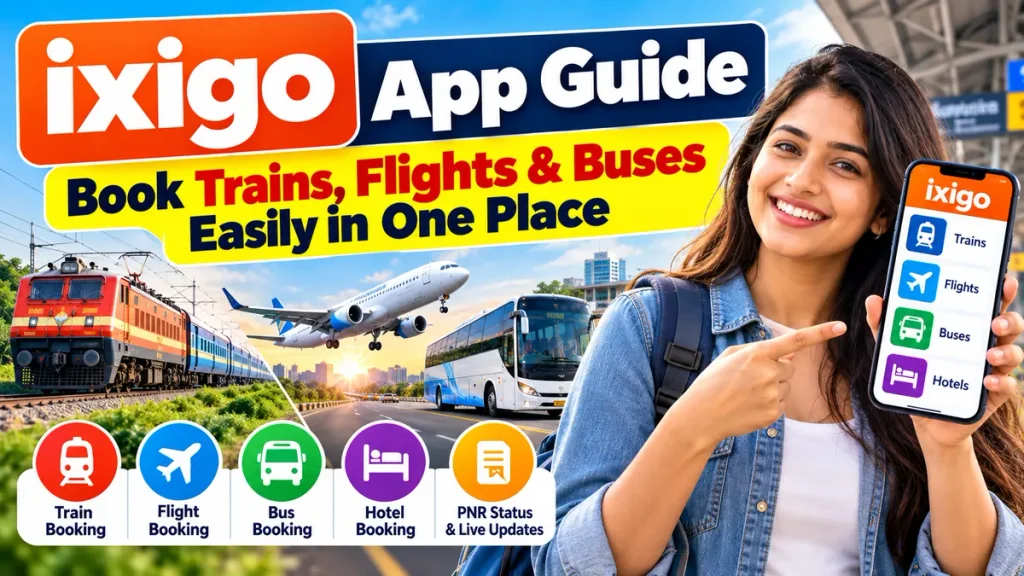
This guide explains how to use the Ixigo App, book trains, flights and buses, check PNR status, track journeys and use important travel features.
What Is the Ixigo App?
Ixigo is an online travel platform designed to help Indian travellers search, compare, book and manage different types of journeys.
Ixigo was launched in 2007 and currently provides travel services through its website and mobile applications. Its platform covers rail, flights, buses, hotels and other travel-related utilities.
According to Ixigo, more than 170 million travellers use Ixigo and its apps.
One of the biggest advantages of the platform is that you can handle several stages of a journey without searching multiple websites.
Ixigo App Features at a Glance
| Feature | What You Can Do |
|---|---|
| Train Booking | Search and book IRCTC train tickets |
| PNR Status | Check current railway ticket status |
| Live Train Status | Track train location and delays |
| Seat Availability | Check available seats and classes |
| Confirmation Prediction | View predicted confirmation chances |
| Flight Booking | Search domestic and international flights |
| Flight Tracking | Check flight status and travel updates |
| Fare Alerts | Track airfare changes and alerts |
| Bus Booking | Compare routes, operators, seats and fares |
| Hotel Booking | Search and reserve available hotels |
| Food on Train | Order food for supported train journeys |
| Metro Tickets | Supported metro-ticket booking in selected cities |
| Platform Locator | Find expected train platform information |
Features and availability may vary depending on your journey, location, operator and booking conditions.
How to Download and Start Using Ixigo
Ixigo provides apps for Android and iOS devices. Travellers can also access its services through the official Ixigo website.
After installing the app, you can create or log in to your account and select the type of travel you need.
The main travel options generally include:
Trains
Flights
Buses
Hotels
Enter your journey details, compare available options and select the booking that suits your schedule and budget.
Always review passenger information carefully before completing payment.
How to Book Train Tickets on Ixigo
Train booking is one of the most popular features available through Ixigo.
Ixigo supports IRCTC train ticket booking and provides additional tools such as seat availability, PNR status, live running status, Tatkal information, platform locator and coach position.
Step 1: Select Trains
Open the app and choose the train-booking section.
Step 2: Enter Stations
Enter your departure station and destination station.
For example:
From: New Delhi
To: Lucknow
Step 3: Select Travel Date
Choose the date on which you want to travel.
Step 4: Search Trains
The app will show trains available for the selected route.
Compare factors such as:
- Departure and arrival time
- Travel duration
- Available class
- Seat availability
- Fare
- Waiting-list status
Step 5: Select Train and Class
Choose your preferred train and travel class.
Common railway classes may include Sleeper, 3A, 2A, 1A and Chair Car depending on the train.
Step 6: Add Passenger Details
Enter passenger names, ages and other required information correctly.
Step 7: Complete IRCTC Booking
Follow the required IRCTC authentication and payment process to complete your reservation.
Once your ticket is booked, keep the booking details and PNR number available for future reference.
Check PNR Status on Ixigo
If you have a train ticket that is RAC or waitlisted, you can check its current status using the PNR Status feature.
Enter your PNR number and the app can display the latest available booking information.
Ixigo also offers PNR confirmation predictions, which estimate the likelihood that a waitlisted railway ticket may become confirmed.
Remember that prediction is only an estimate. Final ticket status is determined by the railway reservation system.
Check Live Train Running Status
Another useful Ixigo feature is Live Train Running Status.
Travellers can search using their train number or station details to check information such as the train’s running status, expected arrival and departure and reported delays.
Ixigo also states that its train app can provide train-running information without an active internet connection in supported circumstances.
This can be useful when travelling through areas with weak mobile connectivity.
How to Book Flights on Ixigo
Ixigo also allows travellers to search for and book domestic and international flights.
To book a flight:
- Open the Flights section.
- Choose One Way or Round Trip.
- Enter departure and destination cities.
- Select travel date.
- Enter the number of passengers and cabin class.
- Search available flights.
- Compare timings and fares.
- Select your preferred flight.
- Add traveller details.
- Review fare rules and complete payment.
Before booking, carefully check baggage allowance, cancellation terms, rescheduling charges and airline-specific conditions.
Flight Status and Fare Alerts
Ixigo is not limited to flight booking.
Its travel tools also include flight-status tracking, fare alerts and fare-related predictions.
Flight tracking can help users check operational information relating to their journey.
Fare alerts can also be helpful if your travel dates are flexible. Instead of repeatedly checking the same route manually, travellers can monitor fare changes where the feature is available.
However, airfare changes frequently, so a fare shown earlier may not necessarily remain available when you finally book.
How to Book Bus Tickets on Ixigo
Ixigo also provides online bus-ticket booking.
Travellers can search buses using the departure city, destination and journey date.
The platform provides access to both private and government bus services on supported routes and states that more than 6,200 private bus operators and government bus services can be booked through its platform.
You can compare:
- Bus operator
- Departure time
- Arrival time
- Ticket fare
- Seat availability
- Boarding point
- Dropping point
- Bus type
- Available amenities
Depending on the operator, options may include AC, non-AC, sleeper, seater and Volvo-type buses.
After selecting a bus, choose an available seat, add passenger information and complete payment.
Can You Track a Bus on Ixigo?
Ixigo says its bus services can provide booking notifications, journey information and live bus tracking for supported bookings.
Tracking availability depends on the particular bus operator and route.
For any important journey, you should still check the boarding point and reporting time shown on your ticket.
Other Useful Ixigo Features
Ixigo provides several tools beyond basic ticket booking.
Seat Availability
Before booking a train, users can check available seats for different travel classes.
Platform Locator
The train app can provide platform information for supported railway journeys.
Coach Position
Travellers can check coach-position information for supported trains, which can make boarding easier at large railway stations.
Food on Train
Ixigo lists an Order Food on Train facility through which travellers can order food for supported railway journeys.
Hotel Booking
Hotels can also be searched and booked through Ixigo, making it possible to manage transportation and accommodation from the same travel ecosystem.
Metro Ticket Booking
Ixigo currently offers digital metro-ticket booking for supported networks in Delhi, Mumbai and Bengaluru, including QR-based tickets and route information.
Important Things to Check Before Booking
Using a travel app is convenient, but users should still check all details before making payment.
Make sure you review:
Passenger Name: Enter it exactly as required.
Travel Date: Confirm the selected date before payment.
Departure Station or Airport: Large cities may have several terminals or stations.
Cancellation Rules: Refund rules can vary between trains, flights and buses.
Baggage Rules: Airlines may have different cabin and check-in baggage limits.
Boarding Point: Bus boarding locations may differ from major bus terminals.
Final Fare: Review taxes, fees and optional add-ons before confirming.
A few minutes of checking can prevent avoidable booking problems later.
Frequently Asked Questions
1. What is Ixigo used for?
Ixigo is a travel platform that allows users to search and book trains, flights, buses and hotels while also providing travel utilities such as PNR status, train tracking, flight tracking and fare alerts.
2. Can I book railway tickets through Ixigo?
Yes. Ixigo supports IRCTC train-ticket booking and provides seat availability, PNR status, Tatkal-related information and live train status.
3. Can I check PNR status on Ixigo?
Yes. You can enter your railway PNR number to check ticket status and access supported prediction information.
4. Does Ixigo show live train status?
Yes. Ixigo provides train-running status, including available information on train location and delays.
5. Can I book flights through Ixigo?
Yes. Ixigo supports both domestic and international flight searches and bookings.
6. Can I book bus tickets on Ixigo?
Yes. Users can compare supported buses, fares, timings, boarding points and available seats before booking.
7. Does Ixigo provide ticket-confirmation prediction?
Ixigo provides confirmation predictions for waitlisted train bookings. However, this is a prediction rather than a guarantee of confirmation.
8. Can I book hotels using Ixigo?
Yes. Hotel search and booking are also available through the Ixigo travel platform.
Conclusion
The Ixigo App provides a convenient way to plan and manage different types of travel from one platform. Instead of using separate services for every journey, travellers can search and book trains, flights and buses, along with hotels and several additional travel services.
For train passengers, useful features include IRCTC ticket booking, PNR status, seat availability, confirmation predictions, coach position and live train running status. Flight travellers can compare fares, make bookings, track flights and use fare alerts, while bus passengers can compare operators, timings, seats and fares before booking.
The app can therefore be especially useful for travellers who frequently switch between different modes of transport.
Before completing any booking, always verify the travel date, passenger details, fare, cancellation policy, baggage rules and boarding location. With the correct information and careful comparison, Ixigo can make planning train, flight and bus journeys considerably simpler.