How to Use DigiLocker – Download, Store & Verify Digital Documents Easily
Keeping important documents safe and accessible can be difficult when you depend only on physical copies. Driving licences, vehicle RCs, academic certificates and other records may be required at any time for government services, education, employment or verification.
DigiLocker makes this easier by providing a secure digital platform where citizens can access, store, share and verify documents online. It is a flagship initiative under the Government of India’s Digital India programme and is managed by the National e-Governance Division under the Ministry of Electronics and Information Technology.
As of July 31, 2026, DigiLocker had more than 72.43 crore registered users, while 5,437 document types and services were available through the platform.
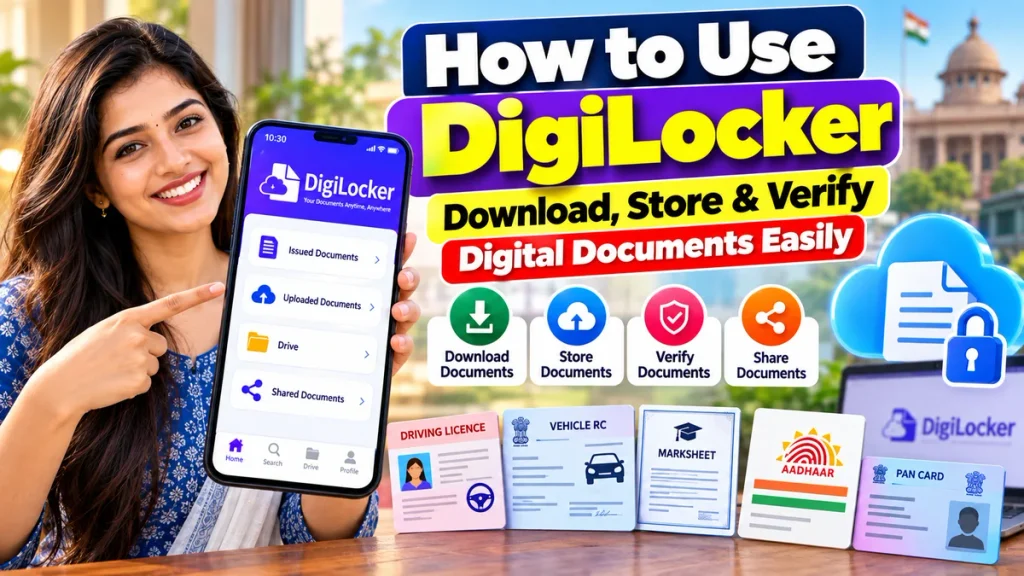
This guide explains how to use DigiLocker, create an account, fetch digital documents, upload files, download certificates and verify DigiLocker documents safely.
What Is DigiLocker?
DigiLocker is a government-supported digital document wallet designed to provide citizens with access to authentic electronic documents.
Government departments, educational boards, transport authorities and other registered organisations can issue digital documents directly through DigiLocker. Citizens can then retrieve these records and keep them available in their accounts.
The official DigiLocker platform describes itself as a secure cloud-based service for the storage, sharing and verification of documents and certificates.
Digital documents issued and shared through DigiLocker can have legal validity equivalent to their physical originals under applicable DigiLocker rules.
DigiLocker Features at a Glance
| Feature | Details |
|---|---|
| Platform | DigiLocker |
| Initiative | Digital India |
| Managed By | NeGD, Ministry of Electronics & IT |
| Main Purpose | Digital document access and storage |
| Account Access | Mobile number and supported verification |
| Verified Documents | Fetched directly from registered issuers |
| Upload Facility | Users can upload their own files |
| Download | Supported documents can be downloaded |
| Sharing | Documents can be shared digitally |
| Verification | QR code, digital signature or issuer verification |
| Common Documents | DL, RC, marksheets, certificates and other supported records |
| Access | Web and mobile app |
| Registered Users | 72.43+ crore as of July 31, 2026 |
What Documents Can You Get on DigiLocker?
DigiLocker works with registered document issuers across India.
Depending on whether the issuing organisation is integrated with the platform, you may be able to access documents such as:
- Driving Licence
- Vehicle Registration Certificate
- Academic marksheets
- Passing certificates
- University documents
- Government-issued certificates
- Skill certificates
- State-issued records
- Other identity and service-related documents
Availability depends on the relevant issuing authority.
If your school board, university, transport department or government agency has integrated its records with DigiLocker, you may be able to retrieve the document directly from its database.
Issued Documents vs Uploaded Documents
Understanding this difference is important.
Issued Documents
These are documents supplied electronically by an authorised organisation integrated with DigiLocker.
For example, if a transport authority provides your Driving Licence through DigiLocker, it appears under Issued Documents.
According to DigiLocker, issued documents are fetched directly from the original data source and represented in your account using a secure URI.
Because the record comes from the issuing organisation, it provides stronger authenticity than a simple scanned copy.
Uploaded Documents
DigiLocker also provides a DigiLocker Drive, where you can upload your own documents.
These might include scanned PDFs or image files stored on your phone or computer.
Uploaded files can be useful for keeping personal copies organised, but simply uploading a scan does not automatically make it an issuer-fetched digital record.
Whenever an organisation requests an authenticated DigiLocker document, an Issued Document should generally be preferred where available.
How to Create a DigiLocker Account
Creating an account is straightforward.
Step 1: Open DigiLocker
Download the official DigiLocker app or visit the official DigiLocker website.
Step 2: Choose Sign Up
Select the option to create a new account.
Step 3: Enter Your Mobile Number
Enter a valid Indian mobile number.
The current DigiLocker sign-up page begins by asking users for their mobile number.
Step 4: Complete Verification
Follow the OTP and identity-verification process displayed on the screen.
DigiLocker notes that users need an Aadhaar-verified account to access verified documents available through the platform.
Step 5: Complete Your Profile
Provide the requested details such as your name, date of birth and other information.
Make sure these details match the records held by the organisation from which you want to retrieve documents.
How to Download Documents from DigiLocker
One of DigiLocker’s most useful features is fetching official digital documents directly from participating issuers.
Step 1: Login to DigiLocker
Open the app or website and sign in.
Step 2: Open Browse Documents
Look for Browse Documents or use the search option.
Step 3: Search for the Issuer
Enter the name of the organisation that issued the document.
For example, you might search for your State Transport Department, education board or university.
Step 4: Select Document Type
Choose the document you need.
Examples might include:
Driving Licence
Registration Certificate
Class 10 Marksheet
Class 12 Marksheet
or another supported certificate.
Step 5: Enter Required Details
You may be asked to provide information such as:
- Registration number
- Roll number
- Passing year
- Vehicle number
- Date of birth
- Other issuer-specific information
Step 6: Give Consent and Fetch
Complete the consent and authentication process.
If a matching record is available, it can be fetched into your DigiLocker account.
The official platform describes the basic process as Register → Verify → Fetch Documents → Share Documents.
How to Upload Your Own Documents
You can also use DigiLocker as a digital storage space for files that are not automatically available from an issuer.
Open your DigiLocker Drive or Uploaded Documents section.
Select the upload option, choose a document saved on your device and upload it.
DigiLocker’s official FAQ confirms that users can upload documents from their local device and manage them inside the DigiLocker Drive.
Give your files clear names such as:
Property Document
Old Certificate
Insurance Copy
or
Employment Document
This makes them easier to find later.
How to Verify a DigiLocker Document
Authenticity is one of DigiLocker’s most important features.
Documents issued through DigiLocker may support verification through methods such as:
- Secure QR code
- Digital signature
- Issuer verification
- Document URI
Official DigiLocker guidance states that certain issued documents can be verified by scanning the encrypted QR code with DigiLocker’s QR scanner. Digitally signed documents may also be authenticated using their digital signatures.
For example, a digital Driving Licence or RC issued through the relevant authority can be checked using its QR or digital authentication information.
This helps organisations confirm that a digital record has come from an authorised source and has not simply been created manually.
Are DigiLocker Documents Valid?
Official documents issued through DigiLocker are designed to be treated as authentic electronic records.
DigiLocker’s Terms of Use state that documents issued or shared through the platform are legally equivalent to physical originals under applicable Information Technology rules.
DigiLocker also states that authentic issued documents can be used across areas such as government benefits, employment, financial inclusion, education and other services.
However, users should distinguish between an official issued document and a file they manually upload themselves.
An uploaded scan may still be useful as a stored copy, but the issuing organisation has not necessarily authenticated that particular uploaded file through DigiLocker.
Can DigiLocker Store Driving Licence and RC?
Yes.
Driving Licence and Vehicle Registration Certificate are two widely used examples of DigiLocker documents.
The official FAQ states that digital DL and RC available in DigiLocker’s Issued Documents section can be verified through digital signatures or QR-code scanning. It also notes official recognition of these digital records for applicable transport-document purposes.
This means vehicle users can keep supported digital versions available on their smartphones instead of depending only on physical copies.
How to Share a DigiLocker Document
DigiLocker also allows citizens to share supported documents digitally.
Open the required document and choose the available sharing option.
Depending on the document and service, you may be able to share it electronically with an authorised requester or use DigiLocker-based consent to allow a service provider to retrieve the verified record.
DigiLocker describes itself as a secure document gateway where documents can be exchanged between trusted issuers and requesters with the citizen’s consent.
Is DigiLocker Safe?
DigiLocker uses a structured security architecture involving authorised issuers, requesters and secure platform components.
Official security documentation explains that documents provided by issuers are digitally signed within the issuer’s environment to help protect document authenticity and integrity.
Users should still follow basic security precautions:
- Never share your OTP
- Protect your phone lock
- Avoid logging in from unknown devices
- Use only the official DigiLocker app or website
- Do not share documents with unknown people
- Check the receiving organisation before granting consent
Frequently Asked Questions
1. What is DigiLocker used for?
DigiLocker allows citizens to access, store, share and verify digital documents and certificates through a government-supported digital platform.
2. Is DigiLocker free?
DigiLocker is a Digital India citizen service and users can create an account and use its core document-wallet functionality without purchasing a subscription.
3. Can I download my Driving Licence from DigiLocker?
Yes, if your Driving Licence record is available through the relevant integrated transport authority, you can fetch it into your Issued Documents section.
4. Can DigiLocker store vehicle RC?
Yes. Digital Registration Certificates are among the documents supported through integrated transport services.
5. Are DigiLocker documents legally valid?
Official documents issued or shared through DigiLocker are recognised under applicable DigiLocker and Information Technology rules and can be legally equivalent to physical originals.
6. Can I upload my own documents?
Yes. DigiLocker provides a Drive where users can upload their own documents.
7. Is an uploaded document the same as an issued document?
No. An issued document is fetched from an authorised issuer’s records, while an uploaded document is a file manually uploaded by the user.
8. How can a DigiLocker document be verified?
Supported documents may be verified using a QR code, digital signature or the issuing organisation’s verification mechanism.
Conclusion
DigiLocker provides a convenient way to keep important documents accessible without depending entirely on physical copies.
Users can fetch authentic digital records from participating government agencies, transport authorities, educational institutions and other registered issuers. Documents such as Driving Licence, RC, marksheets and certificates can then be stored, downloaded, shared and verified digitally where supported.
The most important thing is to understand the difference between Issued Documents and manually Uploaded Documents. Issued Documents are retrieved directly from authorised data sources, making them particularly useful when verified digital records are required.
With more than 72 crore registered users and thousands of document services available by July 2026, DigiLocker has become a major part of India’s digital-document infrastructure.
For secure use, always access DigiLocker through its official app or website, protect your OTP and login details, and share documents only with trusted organisations.