How to Identify Unknown Callers – Caller ID, Reverse Lookup & Safety Tips
An unknown number calling your phone can be anything from a delivery agent or business to a telemarketer, spam caller, or fraudster. Instead of answering every unfamiliar call, you can use caller ID, reverse phone lookup, spam detection, and basic safety checks to understand who may be calling.
Modern smartphones and caller identification apps can provide useful information before you answer. However, no caller ID system is perfect, so important or suspicious calls should always be independently verified.
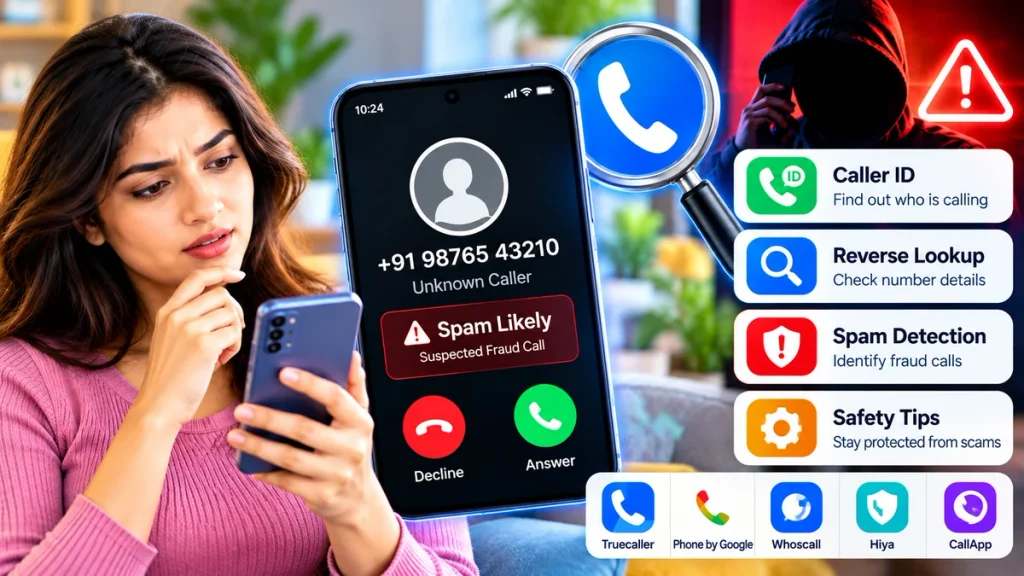
Best Ways to Identify an Unknown Caller
| Method | What You Can Check | Best For |
|---|---|---|
| Built-in Caller ID | Business name, spam warning | Quick identification |
| Reverse Phone Lookup | Name, region, spam reports | Unknown numbers |
| Caller ID Apps | Caller details and spam status | Frequent unknown calls |
| Google Search | Business listings and complaints | Independent verification |
| Spam Blocking | Known spam numbers | Repeated unwanted calls |
| Official Reporting | Fraudulent communication | Serious scam attempts |
1. Check Your Phone’s Caller ID
Many Android phones using Phone by Google can display information about callers who are not saved in your contacts.
Google’s caller ID and spam protection can show business information and warnings such as Spam or Suspected spam caller. Users can also enable spam-call filtering on supported devices.
You can usually check the feature from:
Phone → Settings → Caller ID & Spam
If your phone identifies a call as suspected spam, you can ignore, block, or report the number.
2. Use Reverse Phone Lookup
A reverse phone lookup lets you enter a phone number and check whether information about that number is available.
For example, Truecaller says its reverse lookup service may show:
- Caller name, when available
- General location
- Mobile, landline, or VoIP type
- Spam or scam warnings
- Community spam reports
- Calling activity indicators
Its spam-risk information is based partly on reports submitted by its user community.
Reverse lookup can be helpful when you receive repeated missed calls from the same unfamiliar number.
3. Use a Caller ID App
Third-party caller ID apps can identify incoming numbers automatically.
Truecaller, for example, offers caller identification and spam protection. On supported Android devices, the app can be selected as the default caller ID and spam application to identify incoming callers and block unwanted numbers.
Other caller-management apps may provide similar features, although accuracy, permissions, and subscription requirements can vary.
Before installing any caller ID app, check its privacy policy and the permissions it requests.
4. Search the Number Online
A simple online search can sometimes reveal useful information.
Enter the complete phone number into a search engine and look for:
- Official company websites
- Business listings
- Customer complaints
- Scam reports
- Public directories
- Discussion forums
If a caller claims to represent a bank, insurance company, telecom operator, courier service, or government department, do not trust the number simply because a search result looks familiar.
Verify the organization using its official website or mobile app.
5. Check Whether Other People Reported It as Spam
Spam detection becomes more useful when many users report the same number.
Truecaller says its spam database uses community reports to identify categories including telemarketing, robocalls, fraud, fake technical support, and impersonation scams.
A large number of spam reports is a strong warning sign, but it still does not guarantee that every call from the number is fraudulent.
Numbers can also occasionally be incorrectly classified.
6. Watch for Caller ID Spoofing
A number appearing on your screen may not always represent the caller’s real location or identity.
Fraudsters can use caller ID spoofing to manipulate the number displayed during a call.
India’s Department of Telecommunications has warned about international fraud calls being disguised as Indian numbers. Such calls have been associated with impersonation, fake digital-arrest threats, and mobile-disconnection scams.
This is why caller ID should never be your only method of verification.
Warning Signs of a Fraud Call
Be careful if an unknown caller:
- Demands an OTP or UPI PIN
- Requests card details or CVV
- Threatens immediate account or SIM suspension
- Claims you are under police investigation
- Asks you to install a remote-access app
- Demands an urgent money transfer
- Promises a lottery, refund, or prize
- Pressures you not to disconnect the call
Legitimate organizations generally allow you to independently verify their request.
What Should You Do With a Suspicious Call?
Do not share passwords, OTPs, PINs, banking credentials, or other sensitive information.
End the call and contact the organization through its official phone number if verification is needed.
You can also block and report the number through your phone or caller ID application.
In India, suspected fraudulent calls, SMS messages, and WhatsApp communications can be reported through the Chakshu facility on Sanchar Saathi. The Department of Telecommunications specifically recommends this system for reporting suspected fraud communications.
Frequently Asked Questions
Can I find the name of an unknown caller?
Sometimes. Caller ID and reverse lookup services may provide a caller name or business identity when sufficient information is available.
Is reverse phone lookup always accurate?
No. Information can be incomplete, outdated, or based on community reports. Important information should be independently verified.
Can scammers use genuine-looking phone numbers?
Yes. Caller ID spoofing can make fraudulent calls appear to come from another number.
Should I call an unknown number back?
If the call looks suspicious, verify the number first. Be particularly cautious with unfamiliar international or premium-rate numbers.
Conclusion
Identifying an unknown caller is easier when you combine caller ID, reverse lookup, spam reports, online verification, and common-sense safety checks.
These tools can help you decide whether a call is legitimate, unwanted, or potentially fraudulent. But never rely on caller ID alone when money, passwords, OTPs, or sensitive personal information are involved.
Verify first, share less information, and block or report suspicious callers when necessary.