Electricity Bill Payment App – Bill Amount, Due Date & Payment Status Check Karein
Paying an electricity bill no longer requires visiting a payment counter or standing in a long queue. With an electricity bill payment app, consumers can usually check their latest bill amount, view the due date, make an online payment and review the payment status directly from a smartphone.
Popular UPI and bill-payment apps, bank applications and electricity-board portals support digital electricity bill payments for participating providers. Many billers are connected through Bharat Connect, the bill-payment ecosystem previously known as the Bharat Bill Payment System or BBPS. The BBPS platform was officially rebranded as Bharat Connect in 2024.
Once your electricity provider and consumer account are added to a supported app, the latest payable amount can often be fetched automatically. You can then pay through options such as UPI, bank account, cards or other supported payment methods.
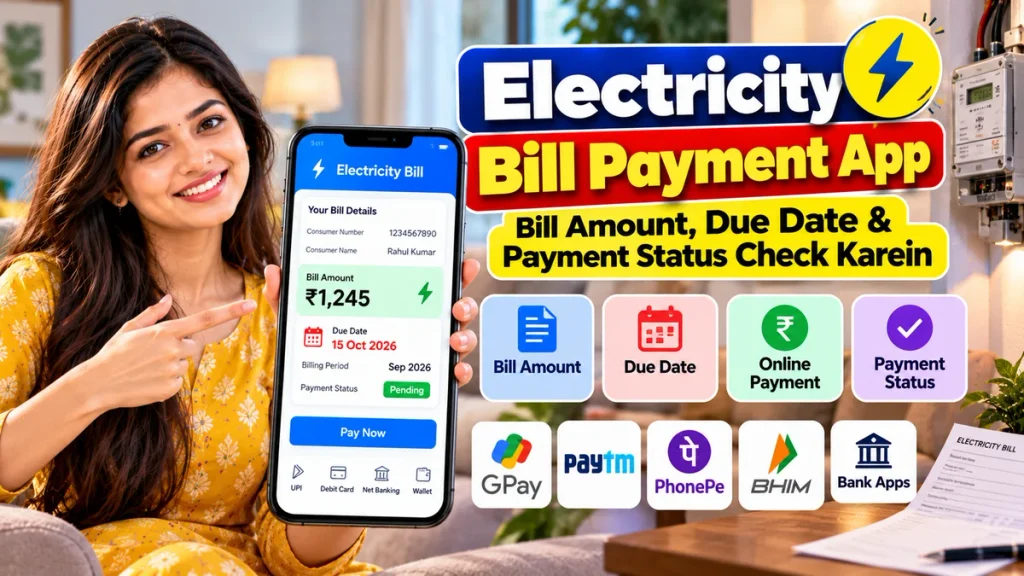
This guide explains how to check your electricity bill amount, due date and payment status online, how to pay the bill safely and what to do when a transaction is pending or failed.
Electricity Bill Payment at a Glance
| Feature | Details |
|---|---|
| Service | Online Electricity Bill Payment |
| Bill Details Required | Consumer Number / Account ID / Connection Number |
| Bill Amount Check | Available for supported electricity providers |
| Due Date | Usually displayed with fetched bill details |
| Payment Methods | UPI, bank account, cards and other supported options |
| Popular Options | Google Pay, Paytm, BHIM, bank apps and biller portals |
| Payment Confirmation | App receipt / transaction ID / SMS or email where supported |
| AutoPay | Available on selected apps and billers |
| Failed Payment | Usually refunded according to payment-provider timelines |
| Final Bill Status | Can also be verified with your electricity provider |
What Is an Electricity Bill Payment App?
An electricity bill payment app is a mobile or online service that connects you with your electricity provider and allows you to pay outstanding bills digitally.
Instead of manually entering the bill amount, many services can fetch the latest bill directly from the biller’s system after you provide the required consumer details.
The Bharat Connect ecosystem is designed to support bill fetch, payment validation and digital confirmation for recurring categories including electricity, telecom, gas and water.
This helps consumers check the payable amount before authorising the transaction.
Which Details Are Needed to Check an Electricity Bill?
The exact details depend on your electricity distribution company.
Commonly requested information includes:
- Consumer Number
- Customer ID
- Account Number
- CA Number
- K Number
- Service Number
- Connection Number
You can normally find this number on an old electricity bill.
Do not confuse the consumer number with the meter number unless your electricity provider specifically asks for the meter number.
Once you save the correct electricity account in an app, you may not need to enter the details again every month.
How to Check Electricity Bill Amount Online
The general process is similar across most bill-payment apps.
Step 1: Open a Supported Bill Payment App
Open a trusted payment app, banking app or your electricity provider’s official application.
Step 2: Select Electricity
Go to:
Bill Payments → Electricity
The exact menu name can vary.
Step 3: Select Your Electricity Provider
Choose your electricity board or distribution company.
Make sure you select the correct provider, especially if several companies operate in your state.
Step 4: Enter Consumer Details
Enter your consumer number, account number or another identifier requested by the biller.
Step 5: Fetch the Bill
The application will attempt to retrieve the latest available bill.
For example, Google Pay states that users can select their biller and view the current or upcoming bill amount received from the service provider.
The screen may display:
- Consumer name
- Bill amount
- Billing period
- Due date
- Provider name
- Other available bill information
Verify these details before paying.
How to Check Electricity Bill Due Date
The due date is the last date on which the electricity bill should normally be paid without applicable late-payment consequences.
If your payment app fetches complete bill details from the provider, the due date may appear directly on the payment screen.
You can also check it through:
- Your electricity provider’s website
- Official electricity-board app
- Printed electricity bill
- SMS notification from your provider
- Email bill
- Supported bill-payment app
Do not assume that the payment date is the same every month. Billing cycles can change.
Paying a few days before the deadline can reduce the risk of problems caused by banking downtime or a pending transaction.
How to Pay Electricity Bill Using Google Pay
Google Pay currently supports electricity bill payments for participating billers.
The process is:
- Open Google Pay.
- Tap Pay Bills.
- Search for your electricity provider.
- Select the biller.
- Add or select your consumer account.
- Check the fetched bill amount.
- Tap Pay Bill or proceed with payment.
- Select the available payment method.
- Confirm the transaction.
Google states that payments made directly from a linked bank account do not attract its bill-payment convenience fee, while card-based bill payments may have a convenience fee depending on the payment method.
Always check the final amount displayed before entering your UPI PIN.
How to Pay Electricity Bill on Paytm
Paytm also supports electricity and other utility bill payments for participating providers.
The general process is:
- Open Paytm.
- Select Recharge & Pay Bills.
- Choose Electricity.
- Select your electricity provider.
- Enter the requested consumer details.
- Fetch and review the bill.
- Select your payment method.
- Complete the transaction.
Paytm’s current utility-bill guidance states that users enter the required Consumer Number, Account ID or similar biller information, review the fetched bill and then proceed with payment through supported options.
Can You Use BHIM for Electricity Bills?
Yes, BHIM supports utility bill payments through its bill-payment functionality.
NPCI currently lists electricity bills among the bill categories supported through BHIM BillPay.
If your electricity provider is available, you can select the bill-payment section, enter the required account information and complete payment through your linked bank account.
Availability may depend on the participating biller.
How to Check Electricity Bill Payment Status
After making payment, do not immediately close the app without checking the result.
Common transaction statuses include:
Success
The payment has been successfully processed by the payment system.
Save the transaction ID or receipt.
Processing or Pending
The bank or payment network is still processing your transaction.
Do not pay the same bill again immediately, because the first payment may still complete successfully.
Google Pay advises users with a processing transaction to wait up to three working days for the status to change to Success or Failed.
Failed
The payment did not complete.
If money was deducted, the payment provider or bank will normally initiate the applicable refund or reversal process.
Payment Successful but Electricity Bill Still Shows Unpaid
Sometimes the payment app displays Success, but your electricity provider continues showing an unpaid bill.
This does not necessarily mean the money is lost.
There may be a delay between the payment system and the electricity provider updating its billing database.
First:
- Check your app’s transaction history.
- Confirm that the payment status says Success.
- Save the transaction or reference ID.
- Wait for the biller’s indicated posting time.
- Check the electricity provider’s official portal again.
Google Pay specifically advises users to check the expected biller-processing time shown with the successful transaction. If the biller still does not receive the money after that time, users can report the payment issue through the app.
Do not make a duplicate payment unless the first transaction is confirmed as failed or the biller advises you to pay again.
What If Payment Fails but Money Is Debited?
This is another common concern.
If the payment status shows Failed but money has left your bank account, first check the refund timeline shown by your payment app.
Google Pay currently states that failed transactions are generally refunded to the bank account within the stated processing period and recommends checking the bank statement for the reversal.
Keep the following details until the matter is resolved:
- Transaction ID
- Date
- Bill amount
- Consumer number
- Electricity provider
- Bank account or payment method used
If the refund does not arrive within the stated period, raise a complaint through the payment provider or your bank.
Can You Set AutoPay for Electricity Bills?
Yes, some payment services support automatic recurring payments.
For example, Google Pay supports UPI AutoPay for recurring payments including electricity bills.
Paytm also currently offers electricity-bill AutoPay for supported accounts and payment methods.
AutoPay can be useful if you regularly forget the due date.
However, before enabling it:
- Check your bank balance regularly.
- Review each month’s electricity bill.
- Understand the mandate amount and payment conditions.
- Cancel or modify the mandate if you change providers.
Is Online Electricity Bill Payment Safe?
Digital electricity bill payment is convenient, but users should follow basic payment-security rules.
Use only trusted payment apps or your electricity provider’s official website.
Never share:
- UPI PIN
- ATM PIN
- OTP
- CVV
- Banking password
Remember that you enter your UPI PIN only to send money. You do not need to enter a UPI PIN merely to receive a refund.
Also verify the consumer name and provider before completing payment.
Benefits of Paying Electricity Bill Online
Online payment can save both time and effort.
You can:
- Check your latest bill from home
- View the payable amount
- Check the due date
- Pay without visiting a counter
- Maintain digital payment history
- Download or save receipts
- Set reminders or AutoPay
- Track failed or pending transactions
Bharat Connect is designed to provide a standardised bill-payment experience with digital confirmation and mechanisms for complaints and dispute handling.
Frequently Asked Questions
1. How can I check my electricity bill amount online?
Open a supported bill-payment app or your electricity provider’s website, select your provider, enter the required consumer number and fetch your latest bill.
2. Can I check the electricity bill due date using an app?
Yes. For supported billers, the fetched bill may display the bill amount, billing information and due date.
3. Which apps can be used to pay electricity bills?
Depending on the provider, options can include Google Pay, Paytm, BHIM, banking apps and your electricity provider’s own online service.
4. Can I pay my electricity bill using UPI?
Yes. Many electricity billers support UPI-based bill payments through participating apps and Bharat Connect-enabled services.
5. What should I do if my payment is pending?
Do not immediately make the same payment again. Check the transaction status and wait for it to become successful or failed according to the app’s stated processing time.
6. What if my account is debited but payment fails?
Check the transaction’s refund timeline. If the refund does not arrive within the stated period, contact the app or your bank with the transaction ID.
7. Can I automatically pay my electricity bill every month?
Yes. Some apps support AutoPay or UPI AutoPay for electricity bills, subject to provider and account availability.
8. How do I know whether my electricity bill payment was successful?
Check your app’s transaction history and confirmation receipt. You can also verify the bill status later through the electricity provider’s official portal.
Conclusion
An electricity bill payment app makes it easy to manage monthly electricity expenses from your mobile phone.
By adding your correct consumer number or account ID, you can usually fetch the latest bill, check the bill amount and due date, make a digital payment and review the transaction status without visiting an electricity office.
Services such as Google Pay, Paytm, BHIM, banking apps and electricity-board portals provide convenient payment options for supported billers, with many transactions operating through the Bharat Connect bill-payment ecosystem.
After paying, always save your transaction receipt and confirm that the status is successful. If a payment remains pending, avoid paying twice until the first transaction is resolved.
Most importantly, use trusted apps and never share your UPI PIN, OTP or banking password with anyone claiming to help with an electricity bill payment.