Best Mobile Security Apps – Call Protection, Scam Alerts & Privacy Features
Smartphones are now used for banking, shopping, payments, social media, email, business communication, and storing personal documents. This also makes mobile devices attractive targets for spam calls, phishing links, malicious apps, fake messages, identity theft, and online scams.
A good mobile security app can add extra protection by scanning apps, warning about dangerous websites, detecting suspicious calls or messages, and helping protect your privacy. Some security tools also include VPN services, identity monitoring, scam detection, and fraud alerts.
Here are some of the best mobile security options to consider.
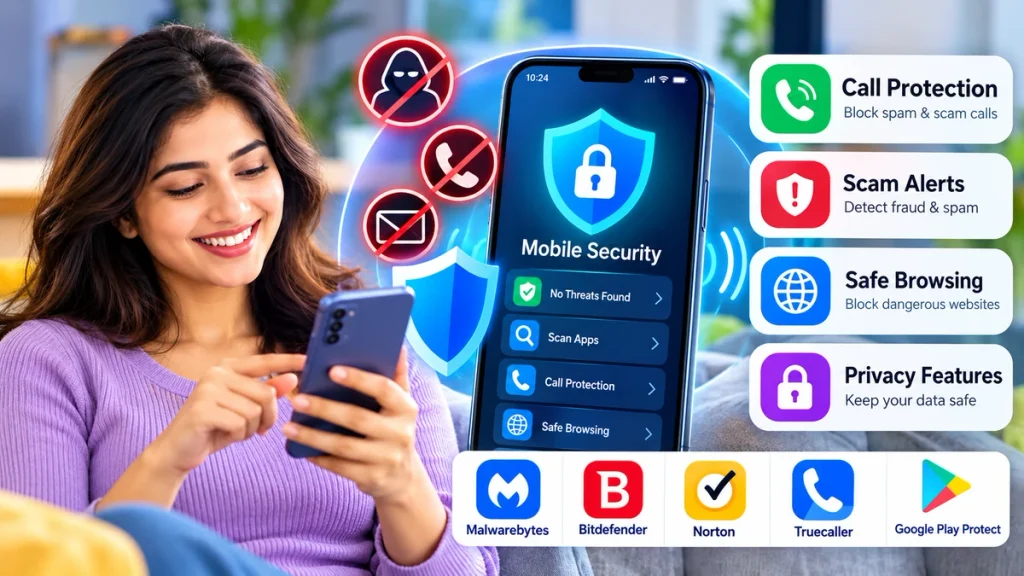
Best Mobile Security Apps at a Glance
| App | Malware Protection | Scam Protection | Call Protection | Privacy Tools |
|---|---|---|---|---|
| Malwarebytes | Yes | Yes | Yes | VPN & identity tools |
| Bitdefender Mobile Security | Yes | Yes | Spam call blocking | Web & privacy protection |
| Norton 360 Mobile | Yes | Yes | Limited/device dependent | Privacy & security tools |
| Truecaller | No traditional antivirus | Yes | Strong | Caller privacy tools |
| Google Play Protect | Yes | App warnings | No dedicated call blocking | Permission & app safety |
1. Malwarebytes Mobile Security
Malwarebytes Mobile Security combines malware protection with several scam and privacy-focused features.
Its mobile security tools can help identify suspicious texts, links, websites, and calls. Malwarebytes also offers Call Protection, Scam Guard, Text Protection, Safe Browsing, VPN, malware scanning, and identity protection tools, although availability can vary by operating system and subscription.
For Android users, its Call Protection feature can warn about suspected scam callers and can be configured to block certain unwanted calls.
Best for: Users who want an all-in-one security, scam detection, and privacy solution.
2. Bitdefender Mobile Security
Bitdefender is another popular option for Android security. It includes malware scanning, web protection, anti-theft features, scam protection, and spam-call blocking.
Its Scam Protection feature is designed to detect potentially dangerous links delivered through SMS messages, notifications, and supported messaging apps. Web Protection can also help block phishing pages when users attempt to open them.
This can be useful for people who regularly receive suspicious delivery messages, payment alerts, prize messages, or fake account-verification links.
Best for: Malware protection combined with phishing and scam-link detection.
3. Norton 360 for Mobile
Norton 360 for Mobile offers security features designed to detect risks such as malware, ransomware, unsafe apps, and privacy problems.
On Android, its App Advisor can check installed apps and new Google Play downloads for potential security and privacy risks. Norton also offers AI-powered Scam Protection designed to help detect suspicious texts and other online scams.
Norton can be especially attractive for users who already use security software on laptops or other devices and want a broader security package.
Best for: Users looking for mobile protection as part of a larger cybersecurity suite.
4. Truecaller
Truecaller is not a traditional antivirus app, but it can be extremely useful for caller ID, spam-call identification, fraud warnings, and unwanted-call blocking.
Truecaller can identify suspected spam calls, maintain block lists, block hidden or private numbers, and provide automatic spam blocking through supported features and plans. The company says its spam lists are regularly refreshed as new spam numbers are reported.
It can also flag suspicious SMS messages, making it useful for users whose main concern is unwanted calls and phone-based scams.
Best for: Caller identification, spam calls, telemarketing calls, and fraud warnings.
5. Google Play Protect
Android users already have an important security feature built into their phones: Google Play Protect.
Google says Play Protect scans apps before installation, periodically checks the device for harmful apps, warns about potentially dangerous software, and may disable or remove harmful apps. It can also provide privacy alerts for apps that misuse sensitive permissions.
It may also block some unverified apps that request sensitive permissions commonly abused in financial fraud.
Best for: Basic built-in Android app and malware protection.
What Features Should You Look For?
When choosing a mobile security app, compare more than just antivirus scanning. Useful features may include:
- Malware and ransomware scanning
- Scam-call warnings
- SMS phishing detection
- Dangerous-link protection
- Caller ID and spam blocking
- VPN protection
- Identity monitoring
- App permission monitoring
- Safe browsing
- Lost-device protection
The best choice depends on how you use your phone.
Mobile Security and Privacy
Security apps often require permissions to perform certain functions. A caller-protection app may require call-related access, while malware scanners may need access to installed applications.
Before enabling permissions, check:
- What data the app collects
- Whether the feature actually requires that permission
- Subscription and renewal costs
- Privacy policy
- Whether protection runs continuously
- Whether the app comes from an official app store
Avoid installing unknown APK files advertised through suspicious messages or pop-up websites.
Frequently Asked Questions
Which mobile security app is best for scam calls?
Truecaller focuses heavily on caller identification and spam blocking, while Malwarebytes also provides scam-call protection as part of its security suite.
Does Android already have antivirus protection?
Android includes Google Play Protect, which scans apps and checks devices for potentially harmful applications.
Can mobile security apps stop phishing?
Some apps can identify or block suspicious websites, SMS links, and phishing attempts. Bitdefender, Malwarebytes, and Norton include various scam or web-protection features.
Do I need both antivirus and caller ID protection?
Not always. Antivirus focuses mainly on apps, malware, and dangerous websites, while caller ID services specialize in identifying and blocking unwanted calls. Users who face both types of threats may benefit from combining the two.
Conclusion
The best mobile security setup should protect more than just your phone from viruses. Modern threats can arrive through calls, SMS messages, fake apps, phishing websites, payment scams, and malicious links.
Malwarebytes and Bitdefender provide broad security and scam protection, Norton offers a larger security ecosystem, Truecaller is particularly useful for caller ID and spam blocking, while Google Play Protect provides valuable built-in Android protection.
Choose an app based on the threats you actually face, compare free and premium features carefully, and review privacy permissions before giving any security app access to sensitive information.