Best Caller ID Announcement Apps – Voice Alerts, Spam Detection & Privacy Features
Unknown calls can interrupt you while driving, working, cooking, or using headphones. A Caller ID Announcement App can make incoming calls easier to manage by announcing the caller’s name or number aloud, while modern caller ID tools can also identify suspicious numbers, warn about spam, and block unwanted calls.
Some smartphones already include caller announcement features, while third-party caller ID apps provide additional options such as spam detection, reverse number lookup, call blocking, and fraud warnings. Choosing the right option depends on the features you need and the permissions you are comfortable granting.
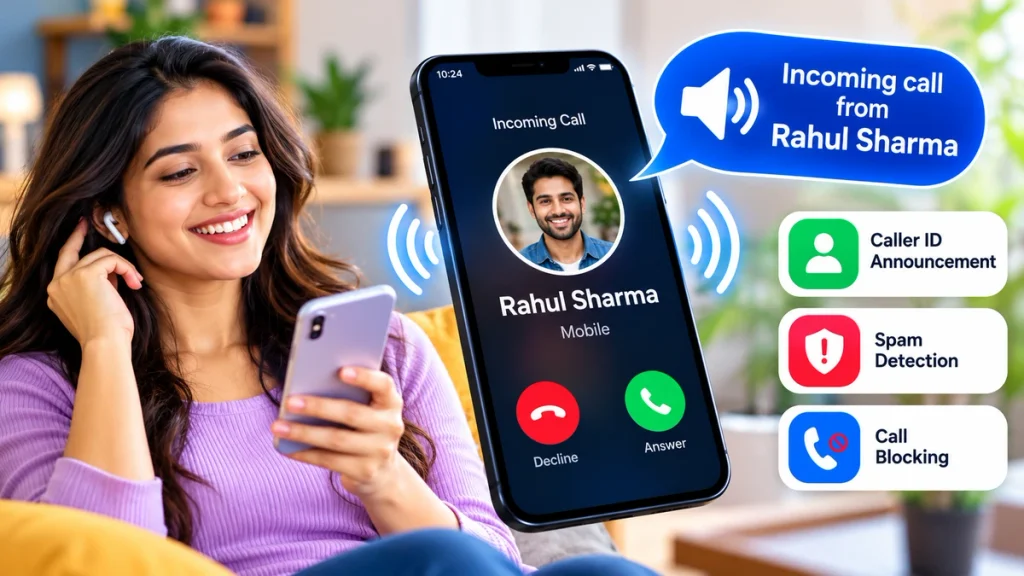
What Is a Caller ID Announcement App?
A caller ID announcement feature uses text-to-speech technology to speak the caller’s name when an incoming call arrives. If the number is saved in your contacts, the phone may announce the saved name. Depending on the app and settings, an unknown number may instead be announced or displayed for identification.
This can be especially useful when:
- You are driving or working.
- Your phone is connected to earphones.
- You cannot immediately look at the screen.
- You receive many business or unknown calls.
- You want additional spam-call warnings.
Best Caller ID & Call Announcement Options
| App / Feature | Caller Identification | Spam Protection | Caller Announcement | Best For |
|---|---|---|---|---|
| Phone by Google | Yes | Yes | Yes | Android users |
| Truecaller | Yes | Yes | Device/settings dependent | Spam and unknown calls |
| Hiya Spam Blocker | Yes | Yes | Limited/device dependent | Fraud and spam protection |
| CallApp | Yes | Yes | Feature availability may vary | Advanced caller management |
| Eyecon | Yes | Yes | Device dependent | Visual caller identification |
1. Phone by Google
For many Android users, Phone by Google may be the easiest option because caller identification, spam protection, and caller announcement can be available directly inside the phone app.
Google says users can enable Caller ID announcement and choose between Always, Only when using a headset, or Never. The app can also warn about suspected spam callers and allow users to report or block unwanted numbers.
To check the feature, open:
Phone App → Settings → Caller ID Announcement → Announce Caller ID
The exact options can vary depending on your Android version and device.
2. Truecaller
Truecaller is one of the popular choices for identifying unknown callers. Its caller ID system can display information about incoming numbers, while its spam database helps identify telemarketing, scam, fraud, and other unwanted calls.
Truecaller also provides spam blocking, manual block lists, and additional blocking options. Some advanced spam-blocking features are part of its paid plans.
It can be useful for people who frequently receive calls from unknown businesses, delivery services, marketing numbers, or potential scammers.
3. Hiya Spam Blocker
Hiya focuses heavily on caller identification, spam alerts, fraud detection, and call blocking. Its free features include incoming spam and fraud alerts, while premium options can add automatic blocking, enhanced caller ID, reverse lookup, and call screening.
This makes Hiya worth considering when spam protection is more important than simply hearing the caller’s name.
4. CallApp
CallApp combines caller identification with call-blocking tools. According to CallApp, users can identify unknown numbers, block common spammers, create custom block lists, and restrict private or hidden numbers.
Availability of individual features can vary by device, Android version, and region.
5. Eyecon
Eyecon takes a more visual approach to caller identification. It offers caller ID, reverse number lookup, contact management, and spam blocking. Its visual caller ID can display caller names and available photos for unidentified numbers.
Privacy Features You Should Check
Caller ID applications may request access to sensitive areas of your phone. Before installing an app, review its privacy policy and permissions.
Pay particular attention to access involving:
- Contacts
- Call logs
- Phone permissions
- SMS
- Notifications
- Microphone
Only enable permissions required for features you actually intend to use.
Google, for example, says its caller ID and spam feature may send numbers outside your contacts to Google for identification while not obtaining phone numbers from your contact list for this purpose.
How to Choose the Best Caller ID App
If you mainly want your phone to speak caller names aloud, first check whether your built-in Phone app already supports caller ID announcements.
For frequent spam calls, prioritize an app offering spam detection, scam warnings, caller identification, and blocking. Business users may benefit more from reliable identification of unknown callers, while privacy-focused users should carefully compare permissions and data-handling policies before choosing an app.
Frequently Asked Questions
Can my phone announce the caller’s name?
Yes. Many Android phones using Phone by Google can announce incoming caller names or numbers when Caller ID Announcement is enabled.
Can caller ID apps detect spam calls?
Yes. Apps such as Phone by Google, Truecaller, Hiya, CallApp, and Eyecon offer spam identification or blocking features, although accuracy and availability can vary.
Are caller announcement apps free?
Many apps provide basic features for free, while advanced spam blocking, reverse lookup, or other premium tools may require a subscription.
Can caller ID apps identify every unknown number?
No. Caller identification databases are not perfect, and newly created, spoofed, private, or unreported numbers may remain unidentified.
Conclusion
A good Caller ID Announcement App can make incoming calls more convenient while helping you decide whether a call deserves your attention. Phone by Google is a strong starting point for Android users who want caller announcements and built-in spam warnings, while Truecaller, Hiya, CallApp, and Eyecon provide additional caller identification and spam-management features.
Before choosing any app, compare its caller ID accuracy, spam protection, subscription costs, device compatibility, and privacy permissions. The best solution is one that provides useful call information without requesting more access than you are comfortable sharing.