Best Apps to Block Spam Calls – Stop Unknown & Unwanted Calls Easily
Spam calls, telemarketing calls and repeated unknown-number calls can be frustrating. Some unwanted calls are only promotional, while others may attempt to trick users into sharing OTPs, bank details, passwords or other sensitive information.
Fortunately, modern smartphones and spam call blocker apps can help identify suspicious callers, warn you about numbers reported as spam and, in some cases, automatically block unwanted calls before your phone even rings.
Popular options such as Truecaller, Google Phone, Hiya and Samsung Smart Call provide caller identification and spam-protection features. iPhone users can also use Apple’s built-in call-screening and unknown-caller filtering options without necessarily installing a separate app.
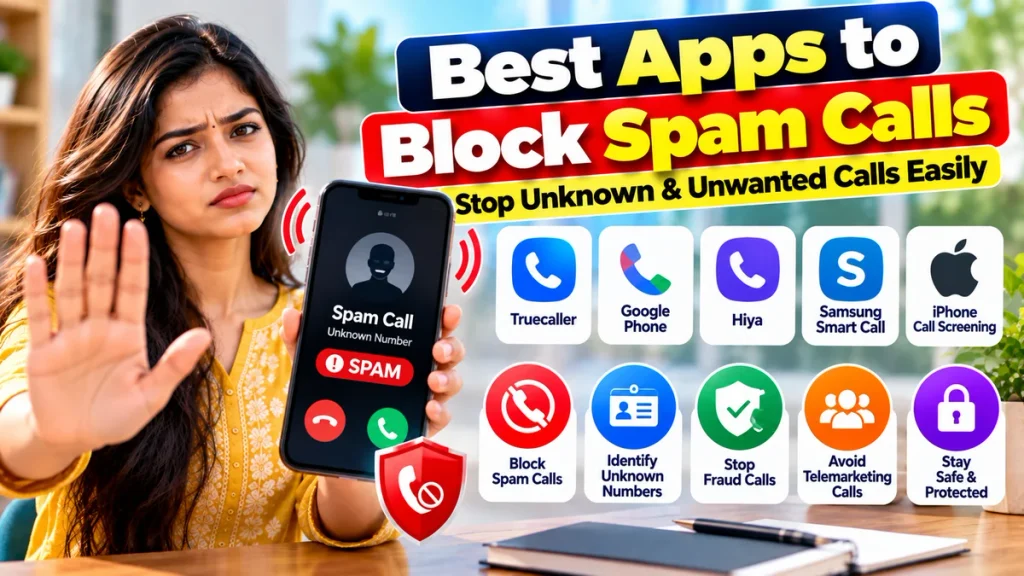
This guide covers some of the best apps to block spam calls, how their features work and what you should check before enabling aggressive call blocking.
Best Spam Call Blocking Apps at a Glance
| App / Feature | Best For | Caller ID | Spam Blocking | Platform |
|---|---|---|---|---|
| Truecaller | Advanced caller ID & spam filtering | Yes | Yes | Android, iPhone |
| Google Phone | Simple built-in Android protection | Yes | Yes | Supported Android phones |
| Hiya Spam Blocker | Spam detection & call screening | Yes | Yes | Android, iPhone |
| Samsung Smart Call | Samsung Galaxy users | Yes | Yes | Supported Galaxy phones |
| Apple Call Screening | iPhone users | Yes/Screening | Unknown-call filtering | iPhone |
Features may vary depending on your phone model, operating-system version, country and whether you use a free or paid plan.
1. Truecaller – Popular App for Caller ID and Spam Blocking
Truecaller is one of the most widely known caller-identification and spam-blocking apps.
The app can identify unknown callers using its caller database and warn users when a number has been reported as spam.
Truecaller currently offers features including:
- Spam call identification
- Caller ID
- Automatic spam blocking
- Personal block lists
- Blocking hidden or private numbers on supported devices
- Blocking specific numbers
- Spam statistics
- SMS spam and fraud warnings
Truecaller says its spam lists are regularly refreshed and that its community-based spam database uses reports from hundreds of millions of users worldwide.
On Android, users can choose different protection levels. Basic protection can automatically block some high-volume spammers, while stronger filtering options may depend on the selected plan.
On supported iPhones, Truecaller can also integrate with Apple’s call identification and blocking system.
Best for: Users who receive frequent calls from unfamiliar numbers and want detailed caller identification.
2. Google Phone – Best Simple Option for Many Android Users
If your Android phone uses the Phone by Google app, you may already have useful spam protection without installing another dedicated blocker.
Google Phone provides Caller ID & Spam Protection, which can warn users when an incoming call is suspected to be spam.
To check the feature:
- Open the Phone app.
- Tap the menu or More options.
- Open Settings.
- Select Caller ID & spam.
- Enable caller ID and spam protection.
- Turn on Filter spam calls where available.
When spam filtering is enabled, suspected spam calls can be filtered rather than producing a normal incoming-call interruption. They still remain available in call history so users can review them later.
Google also allows users to manually report numbers as spam.
One advantage is simplicity: users of compatible Android phones may not need to maintain another caller-identification app.
Google states that its spam system uses signals about numbers outside your contacts and user reports to help identify possible spam callers.
Best for: Android users who want straightforward spam protection built into their normal phone app.
3. Hiya Spam Blocker – Good for Call Screening and Spam Alerts
Hiya Spam Blocker is another useful caller-ID and spam-protection service.
Hiya can analyse incoming calls and help identify:
- Spam callers
- Telemarketers
- Robocalls
- Potential fraud calls
- Unknown callers
The service is designed to work quietly in the background and provide warnings or block unwanted calls depending on your settings and subscription.
Hiya’s free offering currently includes spam and fraud alerts, caller identification for known businesses and spam numbers, and certain blocking controls. Premium features can include automatic call blocking, reverse number lookup and enhanced caller ID.
No spam-blocking database can identify every new number immediately. Hiya explains that spammers frequently rotate or spoof numbers, meaning a newly used number may sometimes get through before enough information is available to classify it.
Best for: Users who want another dedicated alternative to Truecaller with call-screening options.
4. Samsung Smart Call – Useful for Galaxy Phone Users
Owners of supported Samsung Galaxy phones may already have spam protection through Samsung Smart Call.
Samsung Smart Call can show information about callers who are not saved in your contacts and label calls that appear to be spam or potential fraud.
Users can then block or report the number directly.
Samsung’s India support information states that Smart Call allows users to identify unknown callers and report or block suspected spam calls. The underlying spam-identification technology is provided by Hiya, and availability can vary by device and country.
On supported devices, you can generally find it under:
Phone → Settings → Caller ID and spam protection
Some Samsung models also provide options to block all identified spam and scam calls or only higher-risk calls.
Because it is integrated into Samsung’s Phone app, you may not need to install a separate application.
Best for: Samsung Galaxy users looking for built-in protection.
5. iPhone Call Screening and Unknown Caller Protection
iPhone users also have useful built-in tools to manage unwanted calls.
Current iPhone software supports options for screening, silencing and filtering unknown callers.
With Call Screening enabled on supported iPhones, an unknown caller can be asked to provide their name and reason for calling before the phone interrupts you. You can then decide whether to answer.
Users can also choose to silence calls from unsaved numbers so they go directly to voicemail and remain visible in the recent-calls list.
The settings can generally be found under:
Settings → Apps → Phone
Apple also supports third-party call-identification apps through the Call Blocking & Identification settings.
This makes the built-in iPhone system useful either on its own or alongside an app such as Truecaller or Hiya.
Best for: iPhone users who want to reduce unknown-call interruptions without relying entirely on a third-party app.
Which Spam Call Blocker Is Best?
There is no single best option for every phone.
Choose Truecaller if detailed caller identification and a large community spam database are your main priorities.
Choose Google Phone if your Android device supports it and you want simple, built-in filtering.
Choose Hiya if you want dedicated caller screening and spam alerts.
Samsung Galaxy owners should first check whether Smart Call is already available before installing additional apps.
iPhone users can begin with Apple’s built-in Call Screening and unknown-caller filtering and add a caller-ID app only if they need additional features.
Should You Block All Unknown Numbers?
Blocking every unknown number may seem like the easiest way to stop spam, but it can also cause problems.
Important calls may sometimes come from numbers not stored in your contacts, such as:
- Delivery drivers
- Hospitals
- Schools
- Banks
- Employers
- Government offices
- Service technicians
- New clients or customers
For many users, spam identification or call screening is safer than automatically rejecting every unknown number.
If you are expecting an important call, consider using a less aggressive spam-filtering setting.
How to Protect Yourself from Suspicious Calls
A spam blocker can reduce unwanted calls, but it should not be treated as a guarantee that every suspicious caller will be identified.
If someone calls unexpectedly:
Never share your OTP, UPI PIN, card PIN, password or banking login details.
Do not install an unknown app simply because a caller tells you to.
Do not transfer money because someone claims your account will be blocked immediately.
If the caller claims to represent a bank, company or government department, end the call and contact the organisation using an official number.
Caller-ID labels are helpful, but they should not replace basic caution.
Privacy Considerations Before Installing Caller ID Apps
Caller-ID apps may request permissions related to phone calls, contacts or other device functions.
Before installing any app:
- Download it from an official app store.
- Read its permission requests.
- Check the privacy policy.
- Disable permissions you do not want to provide where possible.
- Avoid unofficial caller-ID APK files.
If your phone already offers built-in spam protection, you may prefer using that rather than adding another service.
Frequently Asked Questions
1. Which is the best app to block spam calls?
Truecaller, Google Phone and Hiya are popular options. Samsung Smart Call and Apple’s built-in iPhone features are also useful depending on your device.
2. Can Truecaller automatically block spam calls?
Yes. Truecaller provides automatic spam-blocking options, although the exact level of protection can depend on device and subscription type.
3. Does Android have built-in spam-call protection?
Many Android phones using Google’s Phone app support caller ID, spam warnings and optional spam-call filtering.
4. Can Samsung phones block spam calls?
Supported Samsung Galaxy phones can use Smart Call or Caller ID and spam protection to identify, block and report spam numbers.
5. Can iPhone block unknown callers?
Yes. iPhone provides options to screen or silence unknown callers and supports compatible third-party call-identification services.
6. Can spam-blocking apps stop every unwanted call?
No. Spammers frequently use new, spoofed or rotating numbers, so some calls may still get through before they are identified.
7. Should I block all numbers that are not in my contacts?
Only if you are sure you do not need calls from new numbers. Otherwise, you could miss legitimate calls from delivery services, hospitals, employers or other important contacts.
8. Are spam and fraud calls the same?
No. A spam call may simply be unwanted advertising or telemarketing. A fraudulent call typically involves an attempt to deceive someone for money, personal data or account access.
Conclusion
Using a spam call blocker app can significantly reduce the number of unwanted calls interrupting your day.
Truecaller is useful for detailed caller ID and community-based spam detection, while Google Phone provides a convenient built-in option on many Android devices. Hiya offers spam detection and screening features, and Samsung Galaxy users may already have Smart Call available. iPhone users can use Apple’s built-in call-screening and unknown-caller controls.
However, no spam-blocking app can guarantee complete protection. New and spoofed numbers may occasionally bypass detection.
For the best results, combine a reliable caller ID and spam blocking app with sensible security habits: never share OTPs or passwords over unexpected calls, independently verify anyone asking for money, and report suspicious numbers when appropriate.
With the right settings, you can reduce spam calls while still allowing important calls to reach you.